
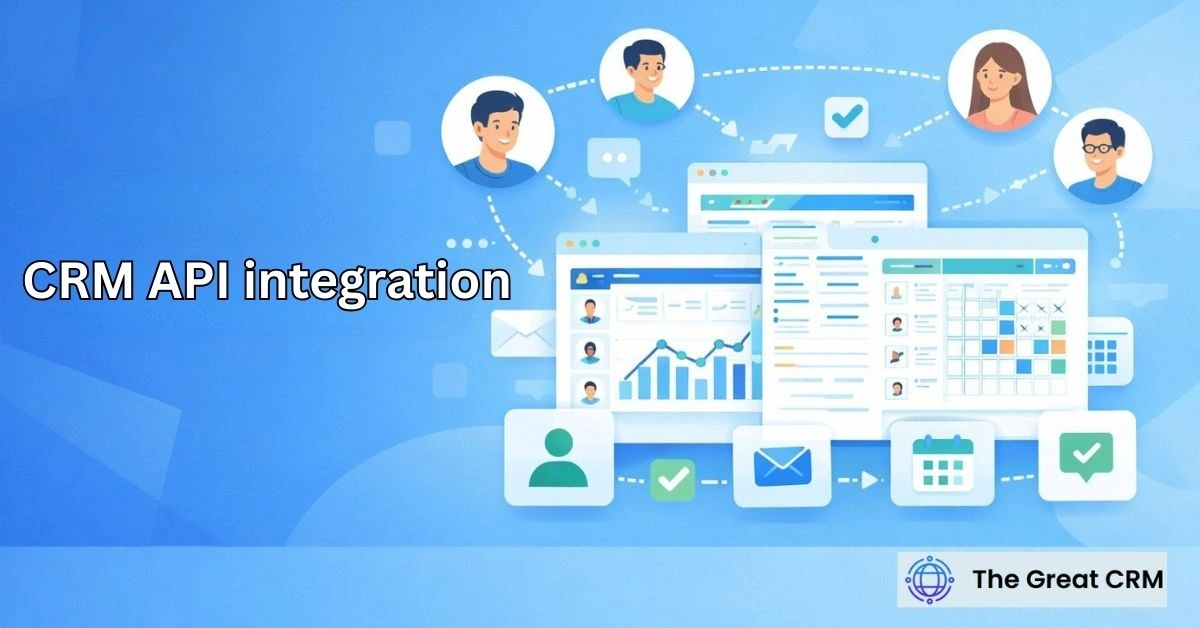
CRM API Integration: Automating Data Flow Between Systems

CRM API integration is the use of application programming interfaces to automate data exchange between a CRM system and other business systems. You likely find that as your organization scales, the manual movement of customer data between disparate platforms—such as sales, marketing, and finance tools—creates significant operational friction. This programmatic connectivity addresses that challenge by allowing your software applications to communicate directly in a secure, structured environment. By utilizing professional CRM API integration, you move toward a strategy where information flows autonomously, ensuring your records remain synchronized and your teams stay aligned with the most current customer intelligence available in 2026.
What Is CRM API Integration?
CRM API integration is the use of application programming interfaces to automate data exchange between a CRM system and other business systems. It functions as a technical bridge that enables different software platforms to “talk” to one another without the need for manual file exports or human intervention. By adopting an api-based crm integration strategy, you ensure that information entered into one system is programmatically pushed or pulled to another, maintaining a unified view of the customer across your entire architecture.
This integration method is a fundamental shift from static data storage to dynamic data exchange. It involves establishing a persistent connection that understands the specific “language” of each application, translating data fields so they map correctly from one database to another. When you implement these connections, you are prioritizing a connected ecosystem where the CRM acts as the central hub for all customer-related activity, regardless of where that activity was originally recorded.
Why Is CRM API Integration Important?
CRM API integration is important because it enables automated, consistent data flow between systems. In a professional 2026 business environment, crm automation is the primary driver of organizational speed and precision. Without programmatic connectivity, your team is forced to rely on manual data entry, which is not only slow but also prone to human errors that can lead to missed opportunities and fractured customer experiences.
Furthermore, API-based connectivity is essential for maintaining system connectivity as your technology stack grows. As you add specialized tools for billing, project management, or advanced analytics, the risk of “data silos” increases. API integrations proactively break down these silos, ensuring that every department is working from the same real-time information, which is critical for maintaining a cohesive and responsive brand identity in a competitive market.
How Do APIs Enable CRM Integration?
APIs enable CRM integration by allowing systems to exchange data programmatically through a set of standardized rules. A crm api acts as a defined interface that specifies exactly how one piece of software can request information from or send updates to another. It provides a secure “handshake” that ensures data is transferred in a format that both the sending and receiving systems can process immediately.
Conceptually, this process removes the barriers between different software vendors and architectures. The API handles the “translation” layer, ensuring that a “Lead Name” in a marketing tool correctly populates the “Contact Name” field in the CRM. This machine-to-machine communication happens in the background, allowing for a level of coordination and speed that manual processes simply cannot achieve, effectively turning your software suite into a single, unified machine.
What Types of Data Are Exchanged Through CRM APIs?
CRM APIs are used to exchange customer, activity, and transactional data between systems to ensure a holistic view of the relationship. The scope of crm api data covers the entire customer lifecycle, moving beyond basic contact details to include deep behavioral and financial signals. By utilizing customer data automation, you ensure that every relevant piece of information is positioned where it can provide the most value to your team.
Common data types exchanged include lead and contact identities, interaction logs from emails or calls, and transactional history such as invoice status and subscription levels. Additionally, APIs often handle service records, support ticket statuses, and marketing engagement metrics like lead scores or campaign clicks. This comprehensive exchange ensures that no matter which tool a team member is using, they are looking at a complete and accurate profile of the customer.
How Does CRM API Integration Automate Data Flow?
CRM API integration automates data flow by syncing updates between systems as events occur. This automated crm data flow typically relies on “triggers”—specific events, such as a new deal closing or a customer reaching a usage milestone, that signal the API to move data instantly. This ensures that information is synchronized in near real-time, eliminating the lag associated with traditional batch processing.
By automating these flows, you ensure that your data remains “fresh” and actionable. There is no need for a staff member to remember to update the billing system after a sale is finalized; the API manages the transfer the moment the deal status changes. This responsiveness is a hallmark of a mature, data-driven organization that values efficiency and accuracy, allowing you to react to customer needs with much higher velocity than a manual system allows.
How Does CRM API Integration Support Sales Teams?
Sales teams benefit from CRM API integration through timely and accurate customer data that drives deal velocity. A successful sales crm api integration ensures that reps have all the context they need to close deals without leaving their primary workspace. For example, an integration might pull in real-time product usage data, allowing a rep to identify upsell opportunities based on actual customer engagement patterns.
It also streamlines the lead-to-deal transition by automating the routing process. When an API connects your lead generation tools directly to the CRM, prospects are delivered to the correct rep instantly with their full engagement history attached. This allows for immediate, informed outreach, which is essential for maintaining high conversion rates. It transforms the sales process from a series of disjointed steps into a smooth, data-backed journey toward a successful close.
How Does CRM API Integration Support Marketing Teams?
Marketing teams use CRM API integration to synchronize lead and campaign data for better attribution. Through marketing crm api integration, marketers can track the effectiveness of their campaigns through the entire funnel to the final sale. The API ensures that when a lead converts, that information is sent back to the marketing platform to refine targeting, spend, and attribution models.
This connectivity also enables sophisticated personalization at a massive scale. By pulling in deep customer data from the CRM via an API, marketing platforms can trigger highly relevant messages based on a user’s specific status or past behavior. This ensures that marketing outreach feels like a natural, informed extension of the relationship rather than a generic broadcast, which is vital for building brand trust and long-term loyalty.
How Does CRM API Integration Support Service and Support Teams?
CRM API integration supports service teams by sharing customer and issue data across systems to ensure continuity. A service crm api integration ensures that support agents have a 360-degree view of the customer, including their sales history, contract terms, and previous technical issues. This context allows for faster resolutions and a much more personalized support experience.
Additionally, APIs can automate the creation of support tickets from external sources, such as a website portal or a specialized monitoring tool. This ensures that the service team is alerted to issues immediately and that all relevant data is populated in the ticket automatically. It allows the agent to focus on problem-solving rather than data entry, resulting in a more professional and responsive service model.
How Does CRM API Integration Support Finance and Operations?
CRM API integration connects customer activity with operational and financial systems to automate the lead-to-cash cycle. Through crm api finance integration, the back-office team can align customer wins with billing and fulfillment processes. When a deal is marked as won, the API can automatically generate an invoice in the accounting system and update the customer’s billing status in the CRM.
This alignment reduces the risk of billing errors and fulfillment delays. By ensuring that the operations team sees the same data as the sales team, the company can provide services with much higher precision. It transforms the CRM from a siloed sales tool into a core operational asset that drives business efficiency and ensures that the financial reality always matches the sales promise.
What Types of CRM API Integrations Exist?
CRM API integrations vary based on timing and data exchange patterns to meet different business needs. Understanding the various types of crm api integration is key to building a scalable and reliable architecture. Each pattern serves a specific purpose, ranging from instant updates for high-priority leads to massive data transfers for overnight reporting.
- Real-Time Integrations: Moving data instantly as soon as a record is created or updated.
- Event-Driven Integrations: Triggering a transfer based on a specific action (e.g., a form submission).
- Batch Integrations: Moving large volumes of data at scheduled intervals to reduce system load.
- Bi-Directional Sync: Keeping two systems in a constant state of “agreement” by pushing and pulling data in both directions.
How Does CRM API Integration Improve Data Accuracy?
CRM API integration improves data accuracy by reducing manual data handling and the potential for human error. In the world of crm api data accuracy, the objective is to create a “single source of truth.” When data is moved programmatically, there is no risk of a staff member mis-typing a phone number or miscalculating a contract value during a manual transfer between systems.
The API ensures that data is mapped consistently according to predefined business rules. It follows a strict logic that dictates exactly where each piece of information belongs. This standardization creates a reliable foundation for your reports, forecasts, and customer profiles, ensuring that your strategic decisions are based on truthful, validated data rather than fragmented or outdated records.
What Are Common Use Cases for CRM API Integration?
CRM API integration is commonly used to automate customer-related workflows across various systems. There are dozens of crm api integration use cases that demonstrate the power of programmatic connectivity in solving daily operational challenges. By applying these automations, you ensure that your organization remains agile and data-centric.
Common scenarios include automatically creating CRM contacts from e-commerce purchases, moving leads from website forms directly into the sales queue, and syncing billing status between accounting platforms and the CRM. Other use cases involve project management handoffs where a project is created in a separate tool once a deal is won, and data enrichment, where third-party APIs automatically append company details to a customer profile.
What Are the Benefits of CRM API Integration?
CRM API integration provides benefits by enabling automated and reliable data exchange that drives organizational efficiency. You gain a level of crm api integration benefits that directly impacts your bottom line and your ability to scale. When your systems are connected, your entire team works with much higher confidence and less administrative burden.
- Total Automation: Eliminate manual “copy-paste” tasks from the daily workflow.
- Enhanced Scalability: Add new specialized tools to your tech stack without creating data silos.
- Improved Accuracy: Ensure data is consistent and error-free across all business systems.
- Faster Response Times: Act on new leads or support issues in real-time as they occur.
- Better Insights: Build comprehensive executive reports based on data from multiple integrated sources.
What Challenges Exist with CRM API Integration?
CRM API integration presents challenges related to system complexity and the requirement for ongoing management. One of the primary crm api integration challenges is maintenance; as software vendors update their platforms, the API connections may require adjustments to stay functional. This requires a disciplined approach to technical oversight and version control.
Error handling is another critical consideration in an automated environment. If one system is “down” or if there is a data mismatch, the integration must be able to flag the error rather than simply failing or creating duplicate records. Overcoming these challenges requires a clear understanding of your data architecture and a commitment to ongoing governance to ensure that your automated flows remain healthy and reliable as your business evolves.
When Should Businesses Use CRM API Integration?
Businesses should use CRM API integration when manual data transfer becomes inefficient or leads to frequent operational errors. You should consider when to use crm api integration based on the volume of your transactions and the size of your technology ecosystem. If your team is spending hours every week moving data between tools, or if you are seeing frequent discrepancies in your records, it is time for a programmatic solution.
It is also a necessity for businesses that require real-time responsiveness to remain competitive. If your brand’s advantage depends on reaching a lead within minutes or resolving a support issue instantly, manual processes are simply too slow to keep up. Implementing API-based automation provides the “operational rails” needed to maintain high performance and professional consistency at scale.
How Should Businesses Evaluate CRM API Integration Success?
Businesses should evaluate CRM API integration based on data consistency and automation effectiveness. A successful crm api integration evaluation focuses on the impact on the business process rather than just the technical uptime. If the integration is successful, you should see a significant decrease in “data friction” and a measurable increase in team productivity.
- Data Latency: How quickly does information move from the source to the destination?
- Sync Accuracy: What percentage of records are identical across all connected platforms?
- Error Rate: How often does the integration require manual intervention or troubleshooting?
- Time Savings: How much manual administrative work has been eliminated for sales and support?
- User Confidence: Does the team trust the data they see in the CRM dashboards?
What Are the Key Takeaways About CRM API Integration?
CRM API integration automates data flow between CRM systems and other applications to drive business efficiency. It provides the crm api integration explained framework needed to move from a fragmented tech stack to a professional, unified ecosystem. By utilizing this api automation summary, you can ensure that your organization remains organized, accurate, and scalable as you grow.
- Automation First: Replace manual data tasks with programmatic, machine-to-machine flows.
- Connectivity: Use APIs to build a cohesive ecosystem of specialized business tools.
- Real-Time Data: Ensure data is synchronized instantly across all business platforms.
- Operational Scale: Grow your technology stack without increasing administrative overhead.
- Data Reliability: Reduce human error and maintain a high standard of information accuracy.
Is CRM API Integration the Same as CRM Integration?
CRM API integration is a specific and more technical type of CRM integration. While “CRM integration” is a broad term that can include manual data uploads or simple native plugins, CRM API integration refers specifically to using the software’s programming interface to build custom, automated data flows. It is the most flexible and scalable way to connect systems, allowing for deeper and more complex data exchanges than basic, pre-built connectors typically offer.
Does CRM API Integration Require Custom Development?
Yes, CRM API integration often requires technical expertise or custom development to implement effectively. Because APIs are designed for machine-to-machine communication, setting up a programmatic connection usually involves writing code or using specialized middleware platforms to map data fields and manage the exchange. Unlike “no-code” plugins, API-based integrations are tailored to your specific business rules, providing a more robust and professional solution for complex ecosystems.
Can CRM APIs Handle Real-Time Data Updates?
Yes, CRM APIs are specifically designed to handle real-time or near real-time data updates. By using “webhooks” or event-based triggers, an API can push information to another system the moment a change occurs in the CRM. This ensures that your entire organization has access to the most current data, which is essential for time-sensitive activities like lead follow-ups or customer support escalations.
How Secure Is CRM API Integration?
CRM API integration is highly secure when implemented according to modern best practices. APIs use authentication methods—such as API keys or OAuth—to ensure that only authorized systems can access or update your data. Additionally, the data is typically encrypted during transfer. Maintaining a secure API environment requires regular oversight to ensure that access permissions are current and that the connection points are protected from unauthorized use.
Can CRM API Integration Improve CRM Adoption?
Yes, CRM API integration can significantly improve CRM adoption by making the system more useful and less burdensome for the staff. When APIs automate data entry from other tools, users spend less time on repetitive administrative work and more time on high-value tasks. By surfacing relevant data from finance or marketing tools directly in the CRM, you make the system an essential hub for the team’s daily work, naturally driving higher usage.
What Happens If CRM API Integrations Fail?
If a CRM API integration fails, it can lead to “data gaps” or out-of-sync records across your systems. Professional integrations include error-handling protocols that log the failure and can even alert an administrator to take action. To maintain reliability, businesses must monitor their integrations and have a plan for “re-syncing” data if a connection is interrupted, ensuring that the single source of truth is quickly restored.
Conclusion
Successfully managing a growing business in 2026 requires moving from a culture of manual coordination to one of programmatic automation. CRM API integration stands out as the essential strategy for this transition because it respects the complexity of your data ecosystem. It gives your organization an organized and transparent path to follow, which can transform a collection of isolated apps into a predictable, high-speed engine for success. While it requires a commitment to technical oversight and ongoing maintenance, the reward is a business that is more agile, more accurate, and better prepared for long-term growth. If you stay committed to building a connected architecture, you will find that your CRM becomes the most powerful partner in your company’s digital transformation.