
Sales CRM: Tools to Manage Leads, Deals, and Revenue

A sales CRM helps you organize your leads, track every deal, and grow your revenue in a single platform. You stop losing contacts in spreadsheets or messy email chains. This software acts as your central hub for every sales activity. It gives you the clarity to focus on your best prospects. You gain the power to manage your pipeline with facts rather than guesses.
What is a Sales CRM?
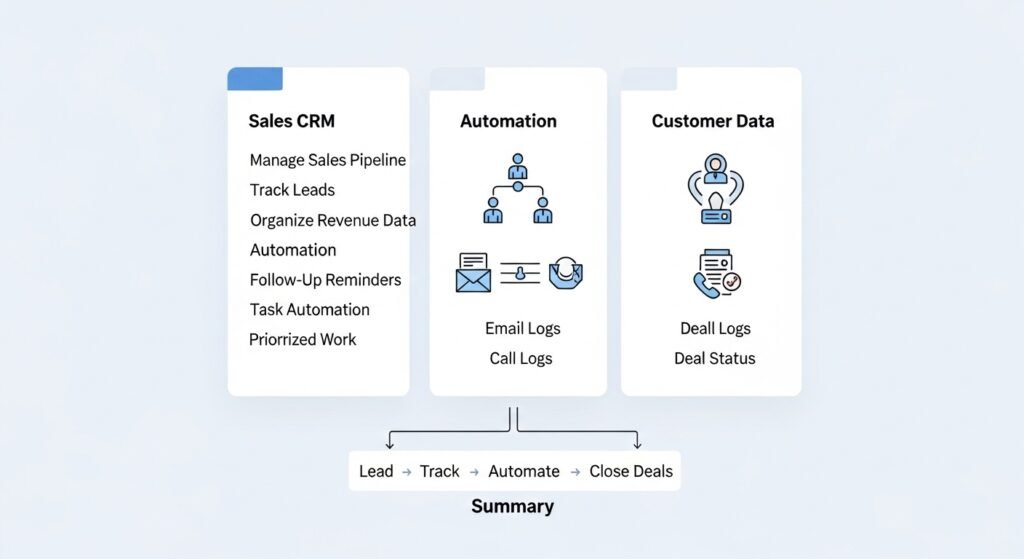
A sales CRM is a specialized software tool that manages your sales pipeline, tracks lead interactions, and organizes revenue data. It differs from general databases by focusing on the active stages of a deal. You use it to automate repetitive tasks, set follow-up reminders, and keep a chronological record of every prospect conversation.
When you use this tool, you create a home for all your customer data. In the past, you might have kept phone numbers on sticky notes. You might have forgotten which prospect you called last Tuesday. This software changes that. It records every email you send. It logs every call you make. It shows you exactly where a person stands in their journey to buy from you.
Think of it as a digital assistant that never sleeps. It tells you when a lead is “hot.” It pings you when a deal sits still for too long. You no longer have to wonder who to call when you log in each morning. The system provides a clear list of priorities. This keeps your team focused on the work that actually brings in money.
How does a Sales CRM help you track leads?
It tracks leads by capturing contact data from your website, emails, and social media automatically. You see where every lead comes from and what they care about. The system flags new inquiries instantly. This allows you to reach out while interest is high, ensuring no potential customer falls through the cracks.
Lead tracking is about more than just a name and an email. You need to know the context. Did they find you through an ad? Did they download a specific guide? Your software saves these details. It builds a profile for every person. You can see their job title, their company size, and their past questions.
This data allows you to personalize your pitch. You stop sending generic messages. You start talking about what matters to them. You can also use “lead scoring.” This feature gives points to leads who take important actions. If they visit your pricing page, their score goes up. You know to call the high-scoring people first.
| Task | Without a Sales CRM | With a Sales CRM |
| Lead Entry | Manual typing into a sheet. | Automatic sync from your website. |
| Follow-up Timing | Relying on memory or calendar. | Instant alerts based on behavior. |
| Context | Searching through old emails. | One-click access to full history. |
| Prioritization | Guessing who is most interested. | Data-based lead scoring. |
| Data Quality | Messy and duplicate records. | Automated cleaning and merging. |
Why is pipeline management vital for your revenue?
Pipeline management is vital because it provides a visual map of your future income. You see every active deal and its current stage. This visibility helps you spot blocks in your process. You can move deals forward with specific actions and predict your month-end results with high accuracy.
A pipeline is a series of steps. It starts with “Lead” and ends with “Closed Won.” Your software shows you these steps as columns on a board. You see “cards” for every deal. You can see at a glance if one column is too full. If you have fifty deals in “Qualified” but only two in “Negotiation,” you have a problem.
This view helps you manage your time. You can see which deals are “stale.” These are deals that haven’t moved in weeks. You can then choose to reach out or move them to “Closed Lost.” This keeps your pipeline clean. You stop wasting time on “ghost” deals that will never close. You focus on the deals that have a real chance of signing.
How can you use a Sales CRM to close deals faster?
You close deals faster by using automation to remove delays and stay top-of-mind with prospects. The software sends automated follow-up emails and sets tasks for your team. This ensures you always take the next step at the perfect moment. You spend less time on admin and more time on selling.
Timing is everything in sales. If you wait three days to reply to a quote request, you lose. The software ensures you reply in minutes. You can set up “sequences.” These are a series of emails that go out on a schedule. If a prospect doesn’t reply to the first email, the system sends a second one three days later.
Also, you can use templates. You stop writing the same email fifty times a day. You pick a proven template, tweak it, and send it. This saves hours of work every week. You also gain “click-to-dial” features. You click a phone number in the CRM, and your computer calls it. This tiny speed boost adds up to dozens of extra calls every month.
Speed Boosters in Your Workflow
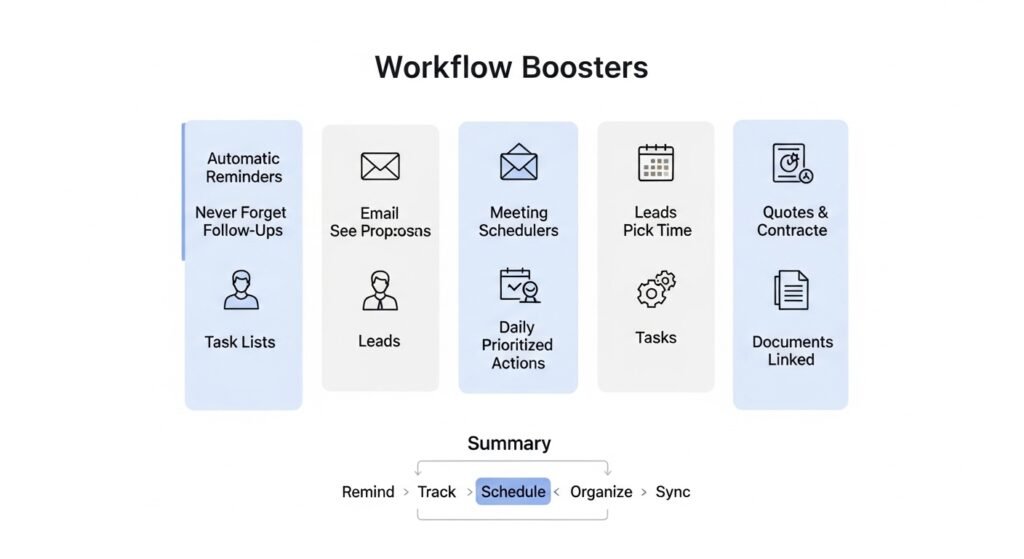
- Automatic Reminders: Never forget to send a contract or a follow-up.
- Email Tracking: See when a prospect opens your proposal.
- Meeting Schedulers: Let leads pick a time on your calendar via a link.
- Task Lists: Wake up to a pre-made list of your most important actions.
- Document Sync: Keep your quotes and contracts linked to the deal file.
What features should you look for in a Sales CRM?
You should look for lead scoring, email tracking, pipeline visualization, and mobile access. Also, seek robust reporting tools and easy syncing with your current email provider. These features ensure your team can work from anywhere while providing the data needed to make smart business choices.
To pick the right tool, you must understand your needs. Not every business needs a complex system. But every sales team needs certain basics. Look at this feature breakdown:
| Feature Name | What It Does for You | Why It Is Essential |
| Lead Scoring | Ranks leads by their activity level. | You talk to the best prospects first. |
| Pipeline Board | Shows deals in a visual “Kanban” style. | You see your revenue flow at a glance. |
| Email Sync | Connects your inbox to the CRM. | No more manual logging of messages. |
| Automation | Triggers tasks or emails based on rules. | You remove human error and delays. |
| Mobile App | Gives you data on your phone. | You update deals while you are on the road. |
| Reporting | Builds charts on your performance. | You see what works and what doesn’t. |
Advanced Capabilities for Growth
As you grow, you might want more power. You could look for “sales forecasting.” This uses your data to predict next month’s income. You might want “call recording” to help train new reps. Or you could look for “territory management” if you have a large team in different regions. Pick a tool that starts simple but can grow with you.
How does Sales CRM improve your revenue forecasting?
It improves forecasting by analyzing your historical win rates and current pipeline value. The software looks at how many deals you usually close at each stage. It then calculates a “weighted” value for your entire pipeline. This gives you a realistic view of your future cash flow.
Predicting the future is hard without data. Most people guess based on their gut feeling. But a sales CRM uses math. If you have $100,000 in your “Negotiation” stage and your win rate is 50%, the system forecasts $50,000 in revenue.
This helps you plan your budget. You can see if you are going to hit your targets early in the month. If the forecast looks low, you can ramp up your marketing. If it looks high, you can prepare your service team for the new clients. This clarity reduces stress. It helps you lead your business with confidence.
What is the difference between a general CRM and a Sales CRM?
A general CRM focuses on broad customer data and marketing, while a sales CRM focuses specifically on the revenue cycle and deal closing. Sales-focused tools offer deeper pipeline tracking, sales automation, and commission management features. They are designed for teams that need to drive growth through active selling.
General tools are great for keeping a list of people. They might help with newsletters or support tickets. But they often lack the “action” features of a sales tool. A sales CRM is built for the “hunt.” It is for reps who need to make fifty calls a day and move deals through specific stages.
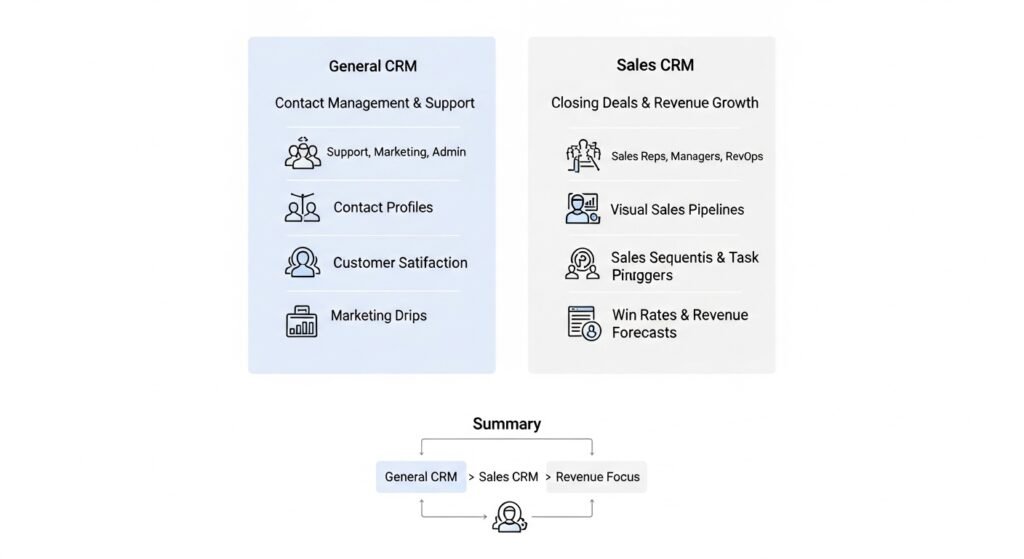
| Aspect | General CRM | Sales CRM |
| Primary Goal | Contact management & support. | Closing deals & growing revenue. |
| Key Users | Support, marketing, admin. | Sales reps, managers, RevOps. |
| Main View | Contact profiles. | Visual sales pipelines. |
| Automation | Marketing drips. | Sales sequences & task triggers. |
| Reporting | Customer satisfaction. | Win rates & revenue forecasts. |
How do you implement a Sales CRM in your business?
To implement it, you must first define your sales stages and clean your existing contact data. Then, you link your email and calendar to the software. Finally, you train your team on the new workflow and start with one or two simple automations to build habit and success.
Success depends on adoption. If your reps don’t use it, the data will be wrong. Start slow. Don’t try to use every feature on day one. Focus on the pipeline first. Get everyone to move their deals into the system.
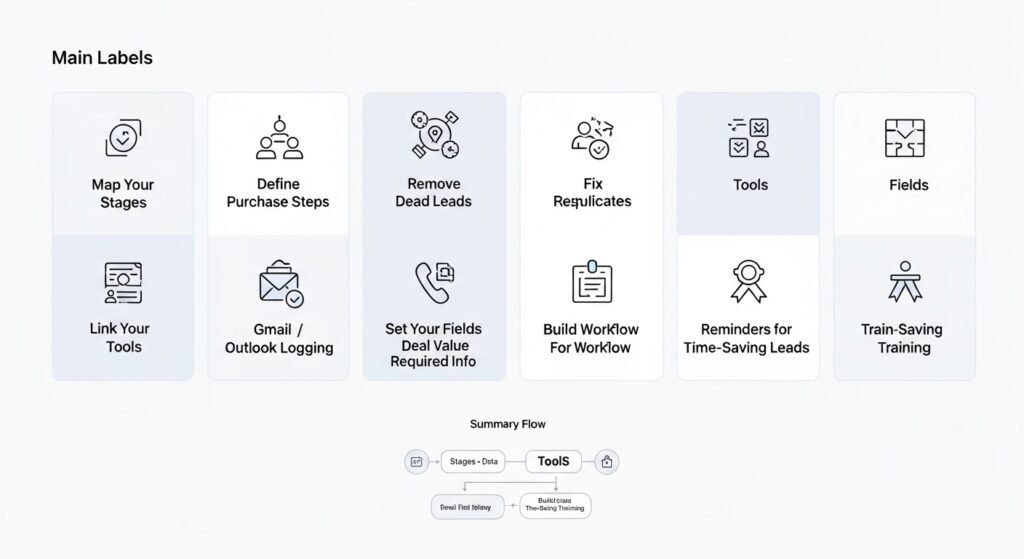
Your Implementation Checklist
- Map Your Stages: Decide exactly what steps a person takes to buy from you.
- Clean Your Data: Remove old, dead leads and fix duplicate entries.
- Link Your Tools: Connect Gmail or Outlook so emails log themselves.
- Set Your Fields: Choose what info you must have (like Phone or Deal Value).
- Build One Workflow: Set a reminder for every new lead that comes in.
- Train the Team: Show them how it saves them time, not just how to click.
Once the team sees the benefit, you can add more. You can start scoring leads. You can build advanced reports. But keep the start simple. The goal is to move your business from paper and sheets to a professional system without a total stop in your work.
How does Sales CRM support team collaboration?
It supports collaboration by providing a single source of truth for every lead and deal. Any team member can look at a record and see the full history of interactions. This prevents the need for constant internal meetings. It ensures that when a rep is out, another can step in without a gap.
In a team, knowledge is power. But hidden knowledge is a risk. If one rep has all the info in their head and they leave, you lose that deal. A sales CRM protects you. It stores every note and every file.
Also, it helps with “handoffs.” When marketing finds a lead, they move it to the sales stage in the CRM. The sales rep sees all the marketing history. They know what the lead clicked on. This creates a smooth experience for the customer. They don’t have to repeat their story three times. This professionalism helps you win more deals against messy competitors.
What are the benefits of mobile access in a Sales CRM?
Mobile access allows your reps to update deals, log notes, and access contact data while they are away from their desks. This ensures that information is recorded while it is fresh. It also helps field sales teams find their next meeting location and check client history before walking into a room.
Modern sales don’t just happen at a desk. You might be at a coffee shop or a trade show. With a mobile app, you can take a photo of a business card and have the CRM create a lead instantly. You can record a voice note after a meeting. The app then transcribes it and saves it to the deal.
This speed keeps your data accurate. If you wait until you get home to log your day, you forget things. You might forget a specific objection the client had. You might forget a promise you made. Mobile access removes these gaps. It ensures your CRM is always up to date, which makes your reports more reliable.
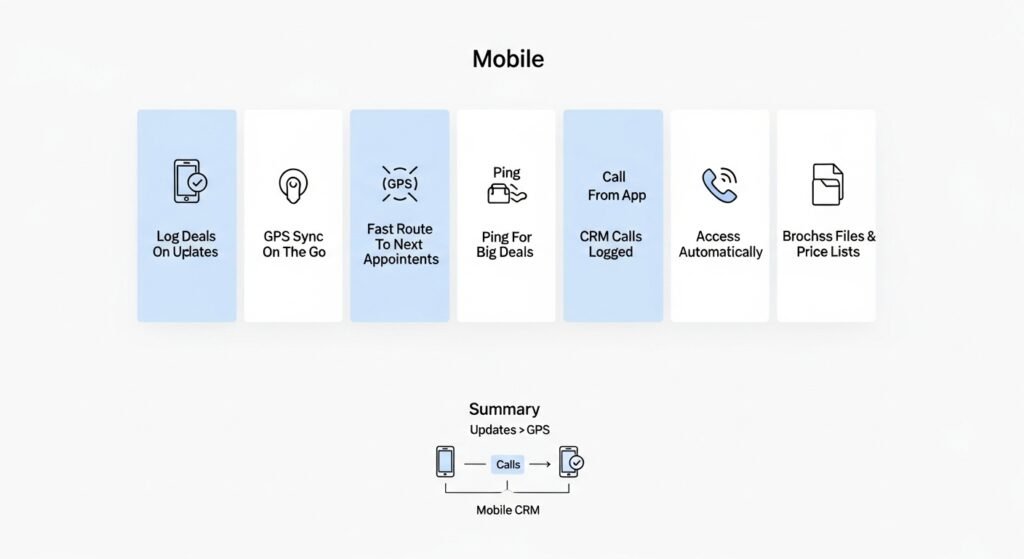
Why Mobile Sales Power Matters
- Instant Updates: Log a “Closed Won” deal from the client’s office.
- GPS Sync: Find the fastest route to your next sales appointment.
- Real-Time Alerts: Get a ping when a big deal signs their contract.
- Call from App: Use your CRM to make calls on the go, logging them as you speak.
- Access Files: Open your latest brochure or price list on your tablet.
How do you measure success with your Sales CRM?
You measure success by tracking changes in your win rate, deal velocity, and sales cycle length. Also, monitor your team’s adoption rate and lead response time. If these numbers improve, your software is doing its job. You should see a clear link between using the CRM and growing your revenue.
Numbers don’t lie. Look at your “before and after” data. Are you closing 20% more deals? Is it taking fifteen days to close instead of twenty? This is “deal velocity.” Higher velocity means you can handle more customers with the same team.
Also, look at your “lead leakage.” This is how many leads used to disappear because of poor follow-up. With a sales CRM, this should drop to zero. Every lead should have a task or a sequence attached to it. If you see your “Response Time” drop from hours to minutes, you are on the right track. This is the biggest win for most small businesses.
When should your business upgrade to a professional Sales CRM?
Your business should upgrade when your current system causes you to lose leads or waste time on manual admin. If you have more than two people in sales, or if you handle more than fifty leads a month, a professional tool is necessary. It is time to upgrade when you can no longer see your total pipeline health at a glance.
You might feel that spreadsheets are “free.” But they are actually very expensive in lost time. If you spend three hours a week manually updating a sheet, you are losing selling time. If you lose one big deal because you forgot to follow up, the software would have paid for itself for a whole year.
Growth requires structure. You cannot scale a messy process. A professional tool provides the guardrails you need to hire more people and take on more leads. It ensures your quality of service stays high as you get bigger. Don’t wait for a crisis to upgrade. Do it when you are ready to take your revenue to the next professional level.
Final Thought
A sales CRM is the most important tool for managing your leads, deals, and revenue in a professional way. It turns your sales process into a predictable machine that grows with you. By focusing on your pipeline and your people, you build a foundation for long-term success.
This shift toward data-driven selling will transform your work. You will feel more in control of your income. Your team will be more productive. Most importantly, your customers will feel the difference in your service. Start your move to a sales CRM today and see how it helps you grow your business and your impact on the market.