
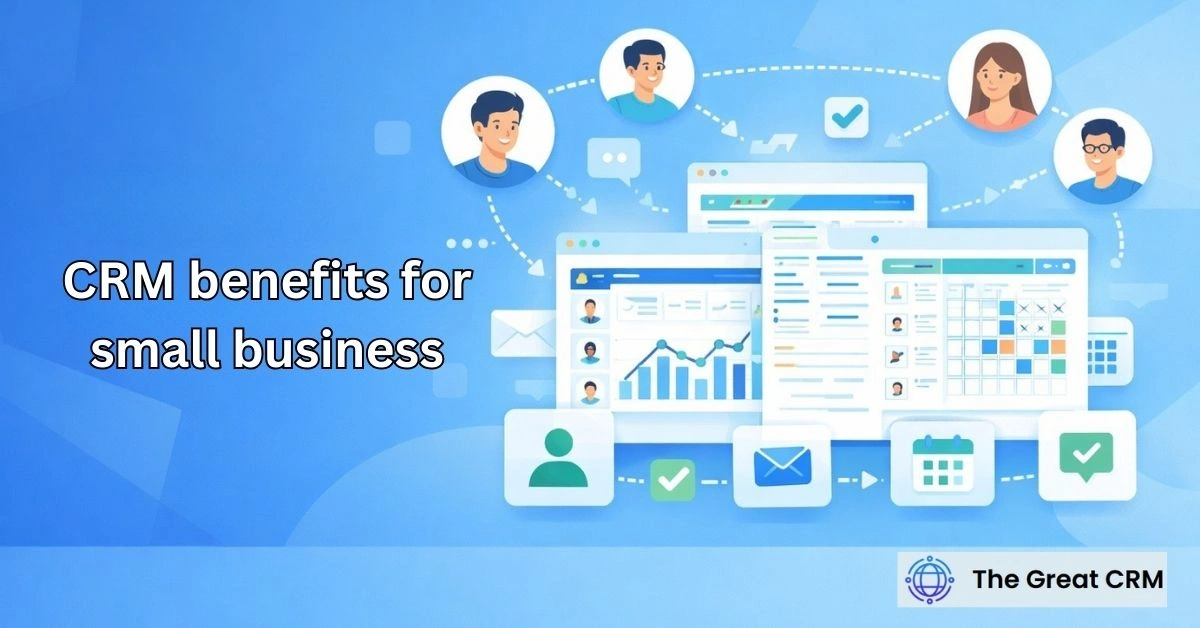
CRM Benefits for Small Business: Growth, Efficiency, and Visibility

CRM benefits for small business include the ability to organize your leads, automate your daily tasks, and see your future revenue in one place. You no longer have to dig through sticky notes or separate spreadsheets to find a client’s phone number. This software acts as your central hub. It gives you the clarity to focus on your best prospects. You gain the power to manage your growth with facts rather than guesses.
What are the primary CRM benefits for small business?
The primary CRM benefits for small business are better data organization, faster lead response times, and increased team productivity. By centralizing your customer information, you remove the risk of losing deals due to poor follow-up. You gain a professional view of your pipeline, allowing you to prioritize high-value sales tasks.
Managing a small company is often chaotic. You wear many hats. You might handle sales, marketing, and support all in one day. A CRM takes the mental load off your shoulders. It stores every email, call, and meeting note in a single chronological timeline. You can see the entire history of a relationship in one click.
When your data is organized, you look more professional to your buyers. You don’t have to ask them to repeat their story. You know what they bought last year. You know what their biggest concerns were in your last chat. This level of care builds deep trust. It sets you apart from larger, slower competitors who treat people like numbers.
Moving From Messy Sheets to Clear Systems
Many owners start with Excel or Google Sheets. These tools are fine for ten names. But they break when you have hundreds of leads. They don’t remind you to call someone back. They don’t show you which marketing ads bring in the most money.
| Aspect | Spreadsheets | Small Business CRM |
| Organization | Manual and prone to errors. | Automated and centralized. |
| Follow-ups | You must remember them. | Automated alerts and tasks. |
| History | Scattered in different files. | Single timeline for every contact. |
| Reporting | Hard to build and update. | Real-time dashboards. |
| Growth | Static and hard to scale. | Built to handle more data as you grow. |
How does a CRM help you find and close more sales?
A CRM helps you close more sales by providing a visual pipeline and automating your follow-up reminders. You see exactly where every prospect stands in their journey to buy from you. This visibility ensures you reach out at the perfect moment, which significantly increases your chances of signing new contracts.
Sales is a game of timing. If you call a lead while they are thinking about your solution, you win. If you wait three days, they might have hired your rival. A CRM pings your phone the second a new inquiry arrives from your website. This speed is a major competitive advantage for a small shop.
You can also use “lead scoring.” This feature gives points to your prospects based on what they do. If a person visits your pricing page, they get 20 points. If they download your guide, they get 10. When a person hits a high score, the system tells you to call them immediately. You stop wasting time on “tire kickers” and focus on people ready to pay.
Visualizing Your Revenue Path
Your pipeline is a map of your future income. Most CRMs show this as a “Kanban” board. You see columns like “Initial Meeting,” “Quote Sent,” and “Negotiation.” You see “cards” for every deal.
- Spot Bottlenecks: See if too many deals are stuck in the “Quote” stage.
- Revenue Forecast: See how much money you might make next month.
- Rep Performance: See which of your team members close the most deals.
- Win/Loss Analysis: Learn why people say “no” so you can fix your pitch.
How does a CRM make your daily work easier?
A CRM makes your work easier by removing repetitive admin tasks and automating your email logging. You spend less time typing notes and more time talking to customers. The system manages your calendar, creates your daily task list, and keeps your team aligned without the need for constant meetings.
Think about how much time you waste on busy work. You search for phone numbers. You copy and paste email addresses. You type the same “thank you” note over and over. A CRM removes these chores. It connects to your Gmail or Outlook. It records your messages automatically.
You can also use “email templates.” You save your best-performing messages in the system. When a new lead asks for your price list, you click one button. The system inserts their name and sends a professional reply in seconds. This consistency ensures your brand voice stays strong even when you are busy.
Common Tasks You Can Automate Today
- Lead Capture: New website inquiries go straight into your CRM.
- Meeting Booking: Leads pick a time on your calendar via a link.
- Follow-up Drips: The system sends a series of helpful emails to warm up leads.
- Status Updates: Deals move to the next stage when a contract is signed.
- Task Creation: The CRM creates a “check-in” task 30 days after a sale.
Why is visibility into your data important for growth?
Visibility is important because it allows you to make choices based on facts rather than feelings. You can see which marketing channels provide the best return and which products are your top sellers. This data helps you spend your limited budget on the areas that actually drive profit for your business.
As a small business owner, you cannot afford to waste money. You might think your Facebook ads are working. But your CRM might show that while those ads get clicks, none of them become buyers. You might find that your local networking events bring in your highest-paying clients.
This insight allows you to pivot quickly. You can stop the ads that don’t work. You can put that money into more networking or a better website. You gain a “North Star” for your company. You know exactly what you need to do to double your revenue because you can see the path in your reports.
Key Reports Every Small Business Needs
- Lead Source Report: Where do your best customers find you?
- Conversion Rate: What percentage of leads actually buy?
- Sales Cycle Length: How many days does it take to close a deal?
- Average Deal Value: How much is each new customer worth?
- Activity Report: How many calls and emails did your team send this week?
How can you improve customer loyalty with a CRM?
You improve loyalty by providing personalized service and never forgetting important details about your clients. A CRM stores preferences, past issues, and personal notes like birthdays. Using this data to provide a better experience makes your customers feel valued, leading to more repeat business and referrals.
People buy from people they like and trust. If you remember that a client was worried about a specific deadline, and you check in on them, you build a bond. A CRM acts as your digital memory. It reminds you to call a client six months after their purchase to see how they are doing.
This proactive service is rare. Most small businesses only talk to customers when they want to sell something. By being the one who provides help and shows care, you earn a customer for life. Happy customers are your best marketing team. They will tell their friends about the “amazing” service you provide.
Building a Referral Engine
You can use your CRM to track who refers new business to you. When a new lead mentions a past client, you log it. The system then pings you to send a thank-you note or a small gift to the person who referred them. This encourages more referrals and keeps your community strong.
What should you look for when picking a CRM?
You should look for ease of use, mobile access, and a simple integration with your current tools. Seek a system that offers a visual pipeline and automated reminders. Avoid complex enterprise systems that require weeks of training. Pick a tool that your team will actually enjoy using every day.
The “best” CRM is the one your team actually uses. Many small businesses buy a complex system and then ignore it because it is too hard. Start simple. Look for a “clean” interface that feels like the apps you already use on your phone.
Selection Checklist for Small Business Owners
- Mobile App: Can you update deals while you are in your truck or at a job site?
- Email Sync: Does it work with your current inbox (Gmail, Outlook)?
- Pricing: Is it affordable as you add more users?
- Support: Can you get a human on the phone if you have a problem?
- Customization: Can you change the stage names to match your specific business?
- Automation: Does it have “if/then” rules to save you time?
How do you start using a CRM without feeling overwhelmed?
You start by moving your most active leads into the system first and defining three simple sales stages. Do not try to use every feature on day one. Focus on logging your calls and emails. Once those habits are strong, you can add automation and advanced reporting to your workflow.
Change is hard. If you try to do everything at once, you will get frustrated. Treat your CRM implementation like a journey. Focus on the “quick wins” first.
A 30-Day Plan for CRM Success
- Week 1: Clean your current contact list. Remove old or dead leads.
- Week 2: Import your active deals. Set your “Initial Call,” “Quote,” and “Closing” stages.
- Week 3: Connect your email. Start logging every chat you have with prospects.
- Week 4: Set your first automation. Have the CRM create a task for every new web lead.
By the end of the month, you will see a difference. You will feel more organized. You will know exactly who you need to call. This small start builds the foundation for long-term growth.
What are the cost savings of using a CRM?
The cost savings include reduced labor hours for admin tasks and a lower customer acquisition cost. You save money by stopping “lead leakage” and by focusing your marketing on the most profitable channels. A CRM often pays for itself by helping you win just one extra deal per year.
Time is money. If you spend five hours a week on manual reporting and data entry, that is 20 hours a month. If your time is worth $50 an hour, that is $1,000 in lost time. A CRM might cost you $30 a month. The return on investment is massive.
You also save on hiring. Because you are more productive, you might not need to hire an admin person as early as you thought. The software handles the “busy work” so you can stay lean and keep more of your profit.
Financial Impacts of CRM Use
- Lower Ad Spend: You stop paying for ads that don’t convert.
- Higher Deal Value: You find more opportunities to upsell current clients.
- Less Churn: Happy clients stay longer, reducing the need for expensive new leads.
- Faster Billing: Integrated tools help you send invoices and get paid sooner.
How does a CRM help specific industries?
A CRM helps different industries by providing specialized tools for their unique workflows. For example, a contractor uses a CRM for job site photos and estimates. A consultant uses it for tracking long-term projects and referrals. These tailored features ensure the software fits your specific daily needs.
Generic tools are okay. But specialized setups are better. Look at how different businesses use these tools to win.
Examples by Business Type
- Service Contractors: Track project addresses, gate codes, and before/after photos. Send text alerts when a crew is on the way.
- Consultants & Coaches: Manage long sales cycles. Track which webinars or whitepapers a lead downloaded before they booked a call.
- Retail & E-commerce: Send personalized offers based on past purchases. Remind customers to buy a refill or a replacement part.
- Real Estate: Track property interests and neighborhood preferences. Automatically send new listings to hot prospects.
How can you use a CRM to manage your team better?
You manage your team better by using the CRM to track activities and set fair goals. You can see who is making the most calls and who is closing the most deals. This transparency removes the need for “micro-management” and allows you to provide helpful coaching based on real data.
Small teams work best when everyone knows their role. A CRM gives each person a daily “to-do” list. They don’t have to guess what is most important. They see their tasks in the system.
You can also use the data for rewards. If you see a rep has a 50% win rate but low call volume, you can coach them to make more calls. If they have a high call volume but low win rate, you can help them with their sales pitch. This objective feedback builds a supportive and professional team culture.
Final Thought
CRM benefits for small business extend far beyond just storing names and numbers. It is the engine that drives your revenue, organizes your day, and builds your professional reputation. When you invest in these tools, you are investing in the future stability and growth of your company.
This shift toward structured management will transform how you work. You will feel more in control. You will stop reacting to problems and start planning for success. Your customers will notice the difference in your care. Start your CRM journey today, and see how it helps you grow your mission and your impact on the world.