
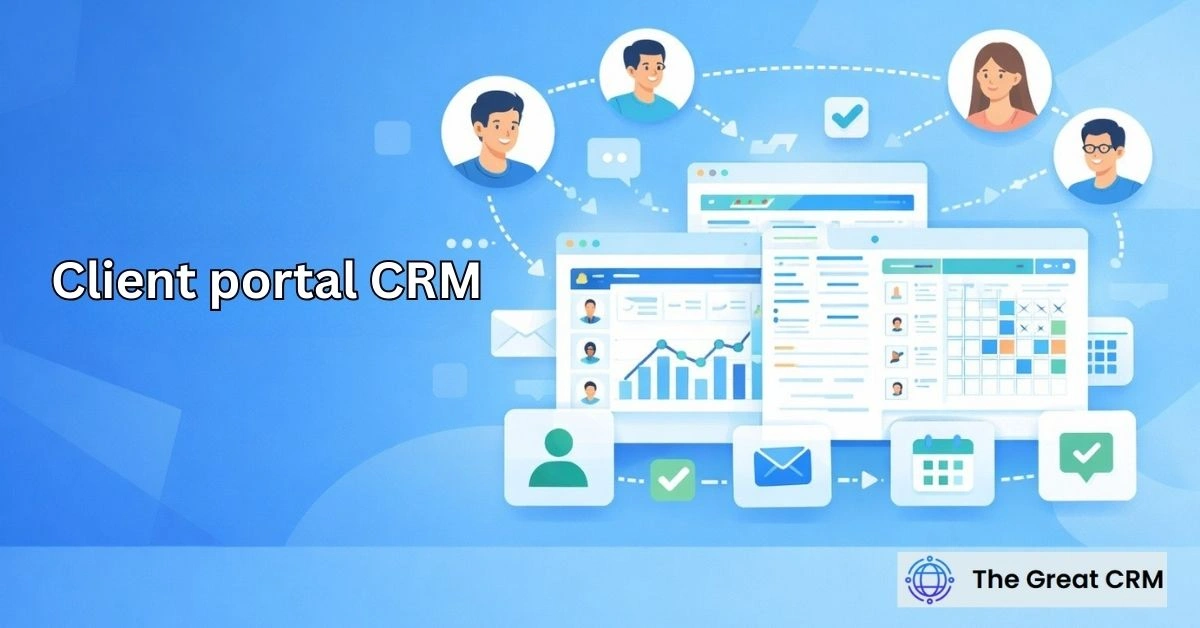
Client Portal CRM: Secure Access for Customers and Teams

A client portal CRM is a secure interface that allows customers and internal teams to access selected CRM information. In the professional landscape of 2026, transparency is no longer a luxury but a fundamental requirement for building long-term business trust. This controlled access layer acts as a bridge between your internal database and your external stakeholders, providing a window into the progress of projects, tickets, and communications. By utilizing a client portal crm, you move toward a strategy where information flows bidirectionally and securely, ensuring that your customers feel informed and your internal teams remain focused on high-value delivery rather than repetitive status updates.
What Is a Client Portal CRM?
A client portal CRM is a secure interface that allows customers and internal teams to access selected CRM information. It functions as a controlled access layer that sits atop your existing relationship management system, ensuring that external parties can view only the specific data intended for them. By establishing a crm client portal, you create a centralized hub where the boundaries between internal operations and customer needs are clearly defined and professionally managed.
This system is not a standalone website or a simple support tool; it is a direct extension of your core CRM architecture. It allows for the real-time synchronization of data, so that when a record is updated internally, the client sees that change instantly within their private view. This programmatic connectivity ensures that your organization maintains a single source of truth while providing a tailored, professional experience for every stakeholder involved in the lifecycle of a project or service.
Why Are Client Portals Important in CRM?
Client portals are important because they provide controlled visibility into customer-related data, fostering a culture of accountability and trust. In a high-velocity B2B environment, customers expect immediate answers without having to wait for an email response or a return phone call. A customer portal crm addresses this demand by offering a self-service environment where users can verify the status of their inquiries or transactions at any time.
Beyond customer satisfaction, these portals are essential for operational efficiency. They reduce the administrative burden on your staff by automating the delivery of common information, such as invoice statuses or project milestones. By providing this transparent window into your operations, you eliminate “information silos” and ensure that your brand is perceived as a professional, proactive partner that values the time and engagement of its clients.
How Does a Client Portal CRM Provide Secure Access?
Client portal CRMs provide secure access through role-based permissions and controlled visibility that prevent unauthorized data exposure. Security is managed at the database level, ensuring that even though a client is “connecting” to the CRM, they are only interacting with a specific, isolated subset of records. This secure crm access is the foundation of a professional digital relationship, protecting sensitive internal notes while exposing relevant project data.
Authentication protocols ensure that only verified users can enter the portal, while granular permission sets dictate exactly what those users can see and do. For example, a client might have “read-only” access to a project timeline but “edit” access to a shared document folder. This sophisticated data separation ensures that your internal workflows remain private and secure, even while you are providing a high level of transparency to your external partners.
What Information Is Typically Available in a Client Portal CRM?
Client portal CRMs expose selected customer data relevant to ongoing relationships to ensure all parties are aligned on progress and expectations. The scope of crm portal access is typically customized to match the specific service model of the business. By curating this information, you provide a focused environment that facilitates collaboration without overwhelming the user with unnecessary internal details.
Typical data categories include:
- Support Tickets: Real-time tracking of issues, resolution steps, and historical cases.
- Document Repositories: Secure storage for contracts, proposals, and project specifications.
- Project Milestones: Visual timelines showing completed tasks and upcoming deadlines.
- Financial Records: Access to past invoices, payment statuses, and renewal dates.
- Communication Logs: A centralized history of shared notes and formal updates.
How Do Client Portal CRMs Support Customer Experience?
Client portal CRMs improve customer experience by giving customers direct access to relevant information and reducing the friction of traditional communication. By providing customer portal crm benefits like 24/7 visibility, you empower your clients to manage their own needs on their own schedule. This autonomy is a hallmark of professional service in 2026, as it respects the client’s desire for immediate and accurate data.
This self-service model also enhances the “perceived speed” of your service. Instead of waiting for a manual status report, a client can log in and see that a task has been completed or a ticket has been escalated. This proactive transparency builds confidence in your delivery and reduces the anxiety that often occurs when clients feel “out of the loop.” It transforms the customer relationship from a series of inquiries into a collaborative partnership.
How Do Client Portal CRMs Support Internal Teams?
Client portal CRMs support internal teams by centralizing customer interactions and updates, significantly reducing the volume of manual coordination required. Through crm portal internal access, your staff can see exactly what the client sees, ensuring that there are no “communication gaps” during status meetings. This shared perspective allows teams to work more efficiently and with greater professional clarity.
The primary internal benefit is the reduction in repetitive administrative tasks. When customers can find their own invoices or check their own ticket status, your account managers and support agents are freed up to focus on solving complex problems and driving revenue. This centralized communication model ensures that all updates are recorded in the CRM automatically, maintaining a high standard of data integrity without requiring extra manual effort from your team.
How Do Client Portal CRMs Support Customer Service Teams?
Service teams use client portal CRMs to manage cases with shared customer visibility, ensuring that resolutions are reached faster and more transparently. Within a crm client portal service framework, the portal acts as the primary interface for case submission and tracking. This ensures that every ticket is born with the correct context and is automatically linked to the appropriate customer record.
The portal facilitates “asynchronous collaboration,” where agents and customers can exchange notes and files within the ticket itself. This prevents information from getting lost in fragmented email threads. By providing a clear resolution history that the customer can reference later, the service team builds a searchable knowledge base of the client’s specific issues, leading to more informed interactions and higher professional standards of support.
How Do Client Portal CRMs Support Sales and Account Management?
Client portal CRMs support sales and account teams by maintaining transparent client relationships and facilitating easier renewals. In crm client portal sales contexts, the portal serves as the definitive record of the value the company has delivered. During an account review, the manager can reference the portal to show exactly how many milestones were met or how many support issues were resolved, providing concrete evidence for renewal.
The portal also acts as a “low-friction” channel for upselling and expanded engagement. By exposing new service options or related project documents within the portal, account managers can nurture interest without appearing overly aggressive. This transparent approach ensures that the sales relationship is built on a foundation of documented success, making the expansion of the partnership a natural and professional progression.
How Do Client Portal CRMs Improve Data Accuracy and Communication?
Client portal CRMs improve data accuracy by keeping customers and teams aligned on the same information through a unified interface. When clients have crm portal data accuracy as a priority, they often act as a secondary “auditor” for your records. If a client notices that their contact information or project status is incorrect in the portal, they are likely to update it or flag it, ensuring your database remains current.
This shared visibility eliminates the “he said, she said” conflicts that often occur with fragmented email communication. Because the portal is the master record for both parties, there is total clarity on what was promised and what was delivered. This structural alignment reduces the risk of manual entry errors and ensures that all communication is documented in a professional, searchable environment that supports long-term organizational health.
What Types of Businesses Use Client Portal CRMs?
Client portal CRMs are commonly used by businesses with ongoing customer relationships that require the frequent exchange of complex data. You will find client portal crm use cases most frequently in professional services, such as legal firms, accounting practices, and digital agencies. These organizations depend on the secure sharing of sensitive documents and the tracking of multi-stage projects.
B2B manufacturing and distribution companies also utilize portals to manage order histories and logistics tracking. Any business where the customer lifecycle extends beyond a single transaction can benefit from this technology. It is a strategic necessity for companies that want to scale their operations without sacrificing the personalized, informed touch that characterizes a high-performance customer relationship in 2026.
What Are Common Use Cases for Client Portal CRMs?
Client portal CRMs are commonly used to share updates and manage ongoing interactions across a variety of professional workflows. There are several crm client portal use cases that illustrate how a secure access layer can solve specific operational challenges. By deploying a portal, you move from a reactive communication style to a proactive, structured one.
Common scenarios include:
- Client Onboarding: Providing a checklist of required documents and introductory materials.
- Collaborative Project Management: Sharing task lists, feedback loops, and approval gates.
- Customer Support Centers: Allowing users to submit and track the lifecycle of their tickets.
- Financial Self-Service: Giving clients access to their billing history and upcoming payment schedules.
- Document Portals: Maintaining a “vault” of signed contracts, proposals, and technical manuals.
What Are the Benefits of a Client Portal CRM?
Client portal CRMs provide benefits by improving transparency and collaboration between the organization and its external partners. You gain a level of client portal crm benefits that directly impacts your brand’s reputation for reliability. When a client knows they can find the information they need in seconds, their overall satisfaction with your service increases significantly.
Key benefits include:
- Reduced Support Overhead: Fewer “status update” inquiries from clients.
- Enhanced Data Trust: A unified view of data that reduces communication errors.
- Improved Scalability: The ability to serve more clients without a proportional increase in staff.
- Stronger Customer Loyalty: Build trust through proactive transparency and self-service.
- Centralized Documentation: No more searching through email for the latest version of a contract.
What Are the Limitations of Client Portal CRMs?
Client portal CRMs have limitations related to setup complexity and the ongoing requirement for user engagement. One of the primary client portal crm limitations is the initial effort required to define permissions correctly. If the access layer is too restrictive, the portal is useless; if it is too open, you risk exposing sensitive internal business logic.
Adoption is another significant hurdle. A portal only provides value if the client actually logs in to use it. If your portal is difficult to navigate or doesn’t contain the specific information the client finds valuable, they will revert to traditional email communication. Success requires a commitment to professional user experience design and a clear communication strategy to ensure that both your team and your clients understand the value of the shared workspace.
When Should Organizations Use a Client Portal CRM?
Organizations should use a client portal CRM when customers need secure, ongoing access to information that changes frequently. You likely recognize when to use client portal crm by the volume of repetitive inquiries your team receives. If your account managers spend more than 20% of their time answering “where are we with this?” or “can you send me that invoice?”, a portal is a strategic necessity.
It is also an essential tool for organizations that handle sensitive data or complex projects that require multiple approval stages. If your business depends on “high-touch” relationships but you need to scale your operations, a portal provides the necessary efficiency without losing the professional personalization that your clients expect. It allows you to provide a “premium” experience to every client, regardless of your team’s size.
How Should Client Portal CRM Success Be Evaluated?
Client portal CRM success is measured by usage, trust, and the reduction of support friction across the customer lifecycle. A successful client portal crm evaluation moves beyond technical uptime to look at how the portal is changing the way you work. If the portal is successful, you should see a measurable shift in how your team spends their time.
- Portal Adoption Rate: What percentage of your active clients log in to the portal regularly?
- Inquiry Volume: Has there been a decrease in “status update” emails and phone calls?
- Resolution Speed: Are support tickets being resolved faster due to centralized communication?
- Customer Satisfaction (CSAT): Do clients report that the portal makes working with you easier?
- Data Accuracy: Are there fewer discrepancies in the project and financial records shared between teams?
What Are the Key Takeaways About Client Portal CRMs?
Client portal CRMs provide secure access to CRM data for customers and teams to drive transparency and efficiency. It provides the client portal crm explained framework needed to move from fragmented communication to a professional, unified customer ecosystem. By utilizing this strategic access layer, you can ensure that your technology remains a reliable and transparent partner in your organization’s growth.
- Transparency: Bridge the information gap between internal teams and external clients.
- Self-Service: Empower customers to find their own answers 24/7.
- Security: Use role-based permissions to protect data while enabling collaboration.
- Efficiency: Reduce manual status updates and centralize all customer communication.
- Trust: Build stronger relationships through proactive and documented project visibility.
Is a Client Portal CRM the Same as a Customer Portal?
No, while they share similar goals, a client portal CRM is specifically integrated with your core CRM database. A general “customer portal” might just be a standalone support page or a billing site. A client portal CRM ensures that the information the client sees is the exact same data your sales and service teams see, providing a much deeper level of professional alignment and real-time accuracy across the entire customer lifecycle.
Do All Customers Need Access to a CRM Client Portal?
Not necessarily; access should be granted based on the complexity and duration of the customer relationship. For a simple, one-time transaction, a portal might be unnecessary overhead. However, for B2B relationships, long-term service contracts, or complex project-based work, a portal is an essential professional tool. You should evaluate your “customer segments” and offer portal access where transparency and self-service will provide the most significant operational impact.
Is Client Portal CRM Access Secure?
Yes, a professional client portal CRM is built with multiple layers of security, including encrypted data transfers and multi-factor authentication. The most critical security feature is the “permission engine,” which ensures that a client can only see their own records. This granular control means that even though the portal is “connected” to your CRM, there is no risk of one customer seeing another’s sensitive data or accessing your internal business logic.
Can Client Portal CRMs Reduce Support Requests?
Yes, client portal CRMs are highly effective at reducing “low-value” support requests, such as inquiries about ticket status or requests for copies of invoices. By providing 24/7 self-service access to this information, you satisfy the customer’s need for immediate data without requiring a human agent to intervene. This allows your service team to dedicate their energy to resolving complex technical issues, improving overall organizational efficiency and service quality.
Who Manages Client Portal CRM Access?
The management of portal access is typically a shared responsibility between the CRM Administrator and the Account Management team. The administrator sets the global security and permission standards, while the account managers decide which specific clients are granted access and what “role” they should have. This ensures that the portal remains a professional and secure environment that is aligned with the specific needs of each customer relationship.
What Happens When Client Portal CRM Access Is Poorly Designed?
Poorly designed portal access can lead to “transparency friction” and a decline in customer trust. If the portal is difficult to navigate, contains outdated information, or is too restrictive, customers will ignore it and return to calling your team, defeating the purpose of the tool. Furthermore, if permissions are not strictly managed, there is a risk of data exposure. Success requires a focus on professional user experience and rigorous data governance to ensure the portal remains a helpful and secure asset.
Final Thought
Successfully managing your customer relationships in 2026 is about moving from a culture of “guarded information” to one of “strategic transparency.” A client portal CRM stands out as the essential bridge for this transition because it respects the modern client’s desire for autonomy and accuracy. It gives your organization an organized and transparent path to follow, transforming a potentially opaque internal process into a predictable engine for success. While it requires a commitment to secure design and thoughtful data curation, the reward is a business that is more responsive, more trusted, and better prepared for sustainable growth. If you stay committed to providing secure, shared visibility, you will find that your CRM becomes your most powerful partner in navigating the future of your industry.