
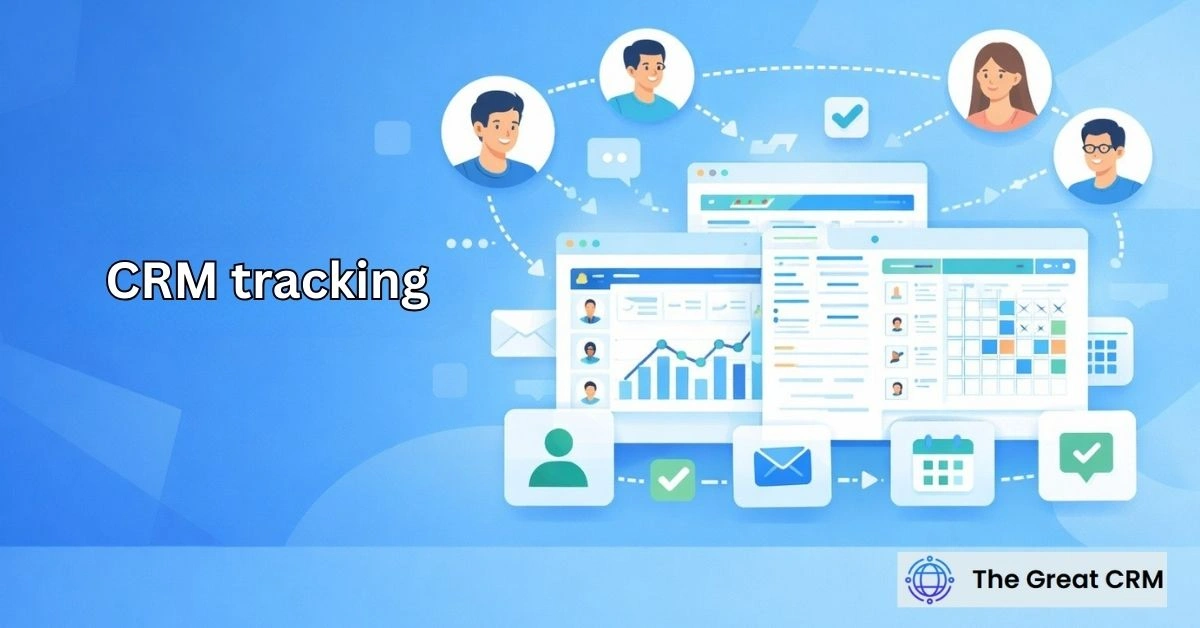
CRM Tracking: Monitoring Customer Activity and Interactions

CRM tracking refers to the process of monitoring and recording customer activity and interactions within a customer relationship management system. It serves as the central nervous system of a business’s relationship strategy, capturing every touchpoint a customer has with the organization. By centralizing these events, businesses can move away from fragmented data and toward a unified understanding of each customer’s unique journey.
This capability is a core CRM function that provides the historical context necessary for professional sales, marketing, and service delivery. Effective crm tracking ensures that regardless of who a customer speaks to, the employee has a full understanding of previous conversations, pending issues, and overall engagement levels. It is the foundation for creating a consistent and reliable customer experience across all departments.
What Is CRM Tracking?
CRM tracking refers to the process of monitoring and recording customer activity and interactions within a customer relationship management system. It is the technical and procedural capability that allows a business to log, organize, and retrieve the history of a person’s relationship with a brand. This system transforms individual events into a structured digital record.
Through customer interaction tracking, a CRM creates a persistent memory of every significant engagement. Instead of relying on the memory of individual employees, the organization uses the CRM to store data such as meeting notes, email exchanges, and purchase milestones. This ensures that the relationship is managed as an institutional asset rather than a series of isolated personal connections.
Why Is CRM Tracking Important?
CRM tracking is important because it gives businesses visibility into how customers interact across channels and over time. Without this centralized visibility, organizations often suffer from “context loss,” where employees lack the information needed to serve a customer effectively. Customer activity visibility allows teams to pick up exactly where a previous interaction left off.
The insights provided by these records help businesses identify trends and potential issues before they escalate. By analyzing crm insights, managers can determine if certain accounts are becoming disengaged or if a specific sales approach is yielding higher levels of interaction. This data-driven approach allows for more informed decision-making and a more proactive management style.
What Types of Customer Activity Does CRM Track?
CRM tracking captures a wide range of customer activities across sales, marketing, and support interactions. These customer activities encompass almost every touchpoint that occurs during the customer lifecycle, from the very first inquiry to long-term post-sale support.
Standard crm activity types include:
- Communication Events: Emails, phone calls, and text messages.
- Meetings and Appointments: Summaries of in-person or virtual sessions.
- Transactional Data: History of quotes, orders, and contracts.
- Service Requests: Documentation of support tickets and resolution steps.
- Digital Engagement: Responses to newsletters or clicks on specific resource links.
How Does CRM Track Customer Interactions?
CRM tracks customer interactions by recording communication and engagement events directly within customer records. This crm interaction tracking is usually achieved through activity logging, where each event is stamped with a date, time, and the internal user involved in the exchange.
This process ensures that every interaction is linked to a specific person or company profile. By maintaining this direct connection, the CRM allows anyone with access to the record to see a chronological flow of events. This structural link is what makes the data searchable and reportable, turning a list of events into a coherent story of a business relationship.
How Does CRM Track Communication Activity?
CRM tracks communication activity by maintaining a history of emails, calls, meetings, and messages associated with each customer. This communication tracking provides a transparent view of the “who, what, and when” of any professional dialogue. It serves as the primary tool for maintaining crm activity history across a diverse team.
For instance, when a sales rep makes a call, the system logs the duration and the outcome; when an email is sent, the content is often synced directly to the record. This comprehensive history prevents redundant outreach and ensures that the customer does not have to repeat their information to different members of the organization.
How Does CRM Track Customer Engagement Over Time?
CRM tracks customer engagement over time by building a chronological history of interactions and activities. This customer engagement tracking allows businesses to view the relationship through an interaction timeline, which highlights periods of high activity or significant silence.
By looking at these patterns, teams can gauge the “pulse” of a relationship. A steady stream of positive interactions suggests a healthy account, while a sudden drop in activity might signal that a customer is looking at competitors. This longitudinal view is essential for account management and retention strategies, as it provides a broader context than any single interaction could.
How Does CRM Tracking Support Sales Teams?
CRM tracking supports sales teams by providing visibility into prospect and customer activity. For a salesperson, sales activity tracking is a productivity tool that manages their follow-up schedule and ensures they are always prepared for their next meeting.
Using crm for sales capabilities, a rep can review the entire history of an account before making a call. They can see if the prospect recently attended a webinar, if they had a previous issue with support, or if they have a history of specific product interests. This preparation allows for a much more sophisticated and personalized sales approach, increasing the likelihood of a successful conversion.
How Does CRM Tracking Support Marketing Teams?
CRM tracking supports marketing teams by showing how customers interact with campaigns and outreach. It provides the engagement visibility needed to understand which marketing efforts are successfully driving prospects into the sales pipeline.
By analyzing marketing crm tracking data, marketers can see the specific path a customer takes from initial awareness to active consideration. This insight allows marketing to better align their content with the actual needs and behaviors of the audience. It also helps marketing identify when a lead is “sales-ready” based on their accumulated activity levels within the system.
How Does CRM Tracking Support Customer Support and Service Teams?
CRM tracking supports customer support teams by providing full visibility into past interactions and service history. When a customer reaches out with a problem, customer support crm tracking ensures the agent has immediate access to the customer’s service history.
This visibility eliminates the frustration of customers having to explain their situation multiple times. Agents can see the products the customer owns, previous tickets they have filed, and any notes left by the sales team. This context allows for faster resolutions and a more empathetic service experience, which is a key driver of customer loyalty.
What Features Enable Effective CRM Tracking?
Effective CRM tracking relies on features that record, organize, and surface customer activity data. These crm tracking features must be intuitive enough for daily use while being robust enough to handle complex data relationships.
Core activity monitoring features include:
- Automated Data Syncing: Linking emails and calendar events without manual entry.
- Chronological Timelines: Visualizing all interactions in a vertical, time-based list.
- Custom Interaction Tags: Categorizing activities (e.g., “Intro Call,” “Closing Call”) for better reporting.
- Note-Taking Tools: Standardized fields for recording the details of a conversation.
- Notification Systems: Alerting team members when a specific activity occurs on a high-value account.
How Is CRM Tracking Different From Analytics or Monitoring Tools?
CRM tracking differs from analytics tools by focusing on relationship interactions rather than anonymous behavior data. In a crm tracking vs analytics comparison, the CRM is personal and specific. It is designed to show what John Smith did, not just how many people visited a page.
While analytics tools are great for identifying broad trends and website performance, CRM tracking is about the human elements of the sales and service cycle. It records explicit actions—like a phone call or a signed contract—that represent a direct connection between the company and an individual. This relationship-first focus is what makes the CRM the primary tool for account and opportunity management.
What Are Common Use Cases for CRM Tracking?
CRM tracking is commonly used to maintain visibility across customer interactions and lifecycle stages. These crm tracking use cases are found in almost every industry that requires ongoing communication with a client base.
Primary use cases include:
- Lead Follow-Up: Ensuring every new inquiry receives a documented response and follow-up.
- Account Handoffs: Passing an account from sales to customer success with all notes intact.
- Resolution Tracking: Monitoring the progress of a complex customer support issue.
- Renewal Management: Seeing if a customer is still active and engaged before their contract expires.
- Sales Coaching: Reviewing a rep’s interaction history to provide feedback on their communication style.
What Are the Benefits of CRM Tracking?
The benefits of CRM tracking come from improved visibility into customer activity and interactions. By capturing the details of every touchpoint, businesses can create a more professional and coordinated environment for their employees and customers alike.
Key Crm tracking benefits include:
- Improved Continuity: No information is lost when employees change roles or leave the company.
- Better Coordination: Multiple teams can work on the same account without stepping on each other’s toes.
- Accountability: Managers can see if the required level of activity is being maintained for key accounts.
- Efficiency: Employees spend less time searching for information and more time engaging with customers.
- Personalized Service: Interaction data allows for a highly tailored experience based on historical preferences.
What Challenges and Limitations Exist With CRM Tracking?
CRM tracking has challenges related to data accuracy, consistency, and usage discipline. One of the most common crm tracking challenges is “empty records,” where employees fail to log their activities, making the tracking data incomplete and unreliable.
Other hurdles include:
- Subjective Logging: Different employees may describe the same interaction differently, leading to inconsistent data.
- Information Overload: If too many minor events are tracked, it can become difficult to find the truly important interactions.
- Data Silos: If one department uses the CRM and another doesn’t, the interaction history remains incomplete.
- Interpretation Errors: Seeing a high volume of activity might look positive, but without context, it could actually represent a customer struggling with a recurring problem.
When Should Businesses Rely on CRM Tracking?
CRM tracking becomes essential when multiple teams interact with customers across channels. For small companies, manual memory might work, but as soon as the customer base grows or more than two departments are involved, the need for when to use crm tracking becomes clear.
It is particularly necessary for businesses with long sales cycles or complex service requirements. In these environments, the details of an interaction from six months ago can be the deciding factor in closing a deal or resolving a dispute today. Transitioning to a tracking-based model is a key milestone in a company’s maturity, moving from ad-hoc communication to a systematic relationship strategy.
How Should Businesses Evaluate CRM Tracking Capabilities?
Businesses should evaluate CRM tracking based on clarity, consistency, and usability of activity records. A successful crm tracking evaluation focuses on how easily the system captures information and how clearly it presents it back to the user.
Evaluation questions should include:
- Is it easy to use? If logging an interaction takes too many clicks, the team won’t do it.
- Is the data centralized? Does it show emails, calls, and meetings in a single view?
- Is it searchable? Can a user quickly find a specific note from a year ago?
- Does it support reporting? Can management pull reports on team activity levels and engagement trends?
What Are the Key Takeaways About CRM Tracking?
CRM tracking helps businesses monitor customer activity and interactions across the customer lifecycle. It provides the essential historical data needed to build strong, long-lasting professional relationships.
- Definition: Crm tracking Is explained as the systematic recording of customer touchpoints.
- Scope: Covers customer activity summary data across sales, marketing, and support.
- Purpose: Ensures continuity and visibility for everyone in the organization.
- Value: Drives better decision-making and a more personalized customer experience.
- Requirement: Needs consistent team adoption and clear processes to be truly effective.
Is CRM Tracking the Same as Customer Analytics?
No, CRM tracking is focused on individual relationship events, while customer analytics focuses on broad patterns and data segments. Tracking tells you exactly what a specific customer said or did, whereas analytics tells you how your entire customer base is behaving as a group.
Does CRM Tracking Include Email and Call Activity?
Ask and answer directly: Yes, email and call activity are the most common types of interactions tracked within a CRM. Most modern systems can automatically sync emails and log call metadata, providing a complete history of the communication between the company and the customer.
Can CRM Tracking Improve Team Collaboration?
Yes, it is one of the best tools for internal alignment. By providing a shared history of all interactions, CRM tracking ensures that sales, marketing, and support teams are always on the same page, preventing conflicting messages and duplicated efforts.
Is CRM Tracking Useful After a Customer Converts?
Yes, it is arguably even more important post-conversion for account management and support. Tracking post-sale interactions helps teams manage renewals, identify upsell opportunities, and ensure that the customer is receiving the value they were promised during the sales cycle.
How Accurate Is CRM Tracking Data?
The accuracy of CRM tracking data is almost entirely dependent on user discipline. While some data like email opens can be automated, the qualitative data—such as meeting notes and call summaries—requires employees to enter information consistently and accurately.
Does CRM Tracking Raise Privacy Concerns?
Yes, any system that monitors individual activity must be managed with privacy and compliance in mind. Businesses should be transparent about what they track and ensure their practices align with data protection regulations such as GDPR or CCPA to maintain customer trust.
Final Thought
In a competitive market, the business with the best memory usually wins. CRM tracking is the mechanism that gives an organization that memory, allowing it to treat every customer like they are the only one. By moving from a state of “not knowing” to a state of complete customer engagement tracking, companies can build deeper trust and more resilient relationships. The goal of tracking is not just to collect data, but to use that customer interaction history to serve people better, respond faster, and anticipate needs with a level of precision that manual methods simply cannot match.