
Marketing Automation CRM Examples: Real-World Use Cases

Marketing automation examples show how businesses scale their outreach without adding more staff. You can use these workflows to talk to your customers at the perfect moment. Most people think automation is just for newsletters. That is a mistake. Modern CRM systems allow you to automate everything from sales follow-ups to customer support tasks.
This guide explores practical campaign patterns you can use today. We will look at SaaS onboarding, B2B lead scoring, and e-commerce recovery. We will also look at technical hooks for developers. By the end, you will see how these systems create a predictable growth engine for any business model.
What are the most common marketing automation examples in CRM?
Common marketing automation examples include welcome sequences, abandoned cart reminders, and lead nurturing workflows. These systems trigger messages based on user behavior like signing up for a list or clicking a link. They ensure that no lead falls through the cracks. This saves your team hours of repetitive manual labor every single day.
Every business has repetitive tasks that take up too much time. I once worked with a founder who spent his entire morning sending “Welcome” emails to new signups. He was exhausted. We set up a simple trigger. When a new contact was created, the CRM sent a three-part series over five days. His open rates stayed above 50%. Most importantly, he got his mornings back to focus on building his product.
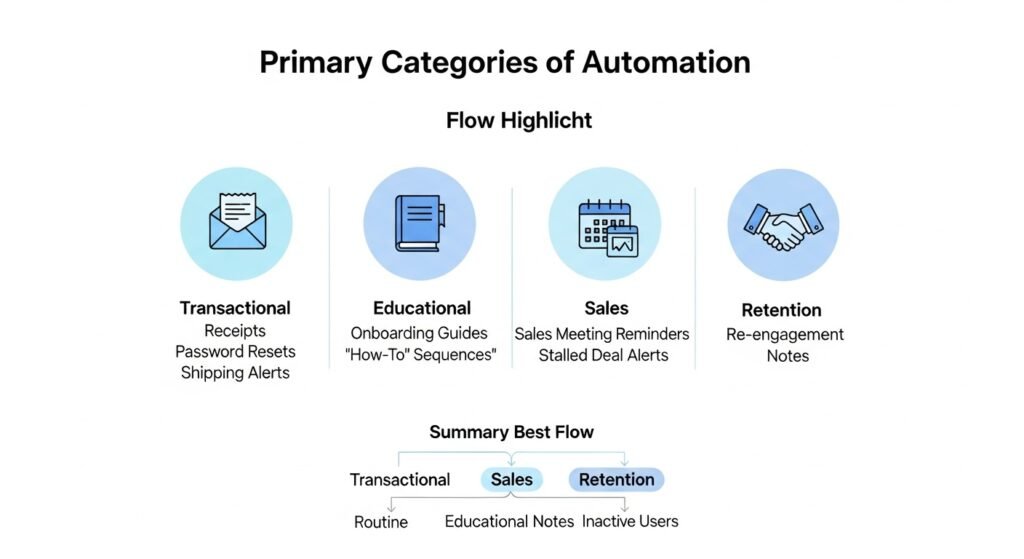
Primary Categories of Automation:
- Transactional: Receipts, password resets, and shipping alerts.
- Educational: Onboarding guides and “How-to” sequences.
- Sales: Meeting reminders and stalled deal alerts.
- Retention: Re-engagement notes for inactive users.
The goal is to provide a consistent experience. A human can forget to follow up. A machine does not. When you use these patterns, you build trust through reliability. Your customers know what to expect from your brand.
How does a welcome sequence work for SaaS companies?
A SaaS welcome sequence triggers the moment a user creates an account. It guides the user to their first “win” within the software. These emails should be short and focused on a single action. By helping users find value quickly, you reduce churn and increase the chance of a paid upgrade later.
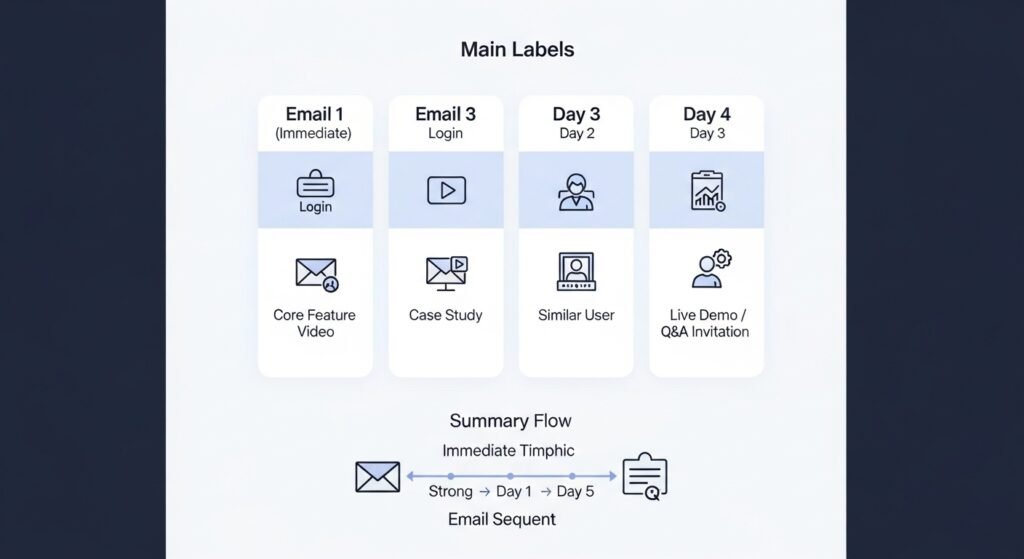
They often see SaaS companies send five emails in the first hour. This is a bad idea. It overwhelms the user. A better approach is to space them out.
- Email 1 (Immediate): Login link and one simple task.
- Email 2 (Day 1): A video showing a core feature.
- Email 3 (Day 3): A case study of a similar user.
- Email 4 (Day 5): An invitation to a live demo or Q&A.
Table: SaaS Welcome Sequence Logic
| Step | Trigger | Goal |
| Welcome | Account Created | Get user to log in. |
| Discovery | 24 Hours Later | Show the main dashboard. |
| Aha! Moment | Feature Not Used | Guide them to their first task. |
| Feedback | Day 7 | Ask if they need help. |
One developer they know built a custom trigger for his app. If a user didn’t create their first project within 48 hours, the CRM sent a specific “Help” email. This email included a direct link to a template. This one change increased his “active user” metric by 20%. It showed the user exactly where to start.
Which lead nurturing examples drive the highest ROI?
Lead nurturing examples that drive high ROI focus on providing value based on a lead’s specific interests. Instead of sending generic blasts, you send content that matches the pages they visited on your site. This makes your brand feel like a partner. It moves leads closer to a purchase by solving their problems first.
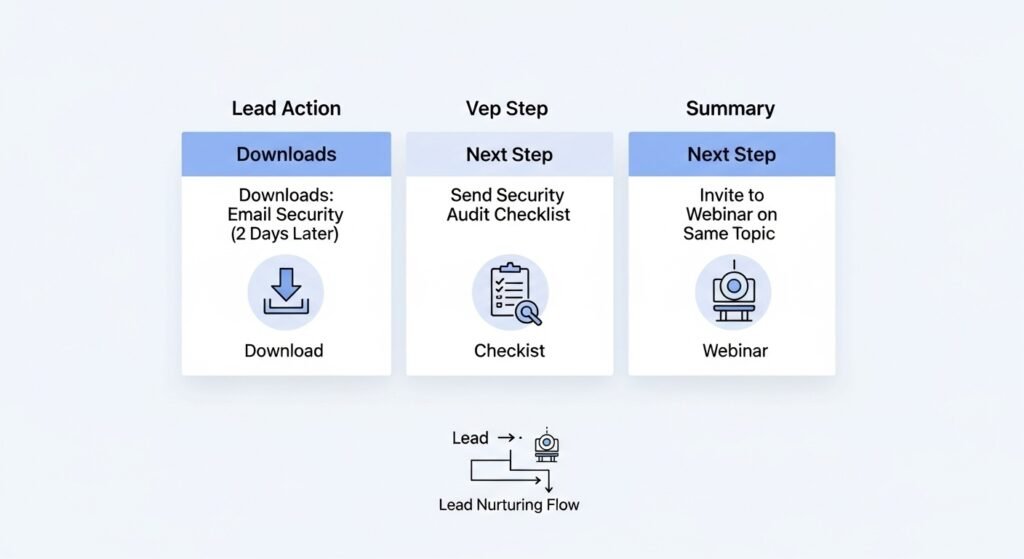
Think of lead nurturing as a long conversation. You are not trying to sell on the first day. You are building authority.
- Example 1: A lead downloads a whitepaper on “Email Security.”
- The Follow-up: Send a checklist for security audits two days later.
- The Next Step: Invite them to a webinar on the same topic.
They once saw a B2B company use “content-based” nurturing. They had different tracks for CEOs and Developers. CEOs got high-level ROI reports. Developers got API documentation and code samples. Both groups felt the company understood their needs. Their sales cycle shortened by 30% because the leads were already educated when they talked to a rep.
- Segment by job title.
- Track which links they click.
- Update their “Interest” tags in the CRM.
- Send a personal note from the founder after the third email.
Can automation handle complex B2B sales cycles?
Automation handles complex B2B cycles by managing the “hand-off” between marketing and sales teams. It can notify a sales rep the moment a high-value lead visits the pricing page. It also automates the boring parts of sales. This includes booking meetings, sending contract reminders, and following up on unsigned proposals without manual effort.
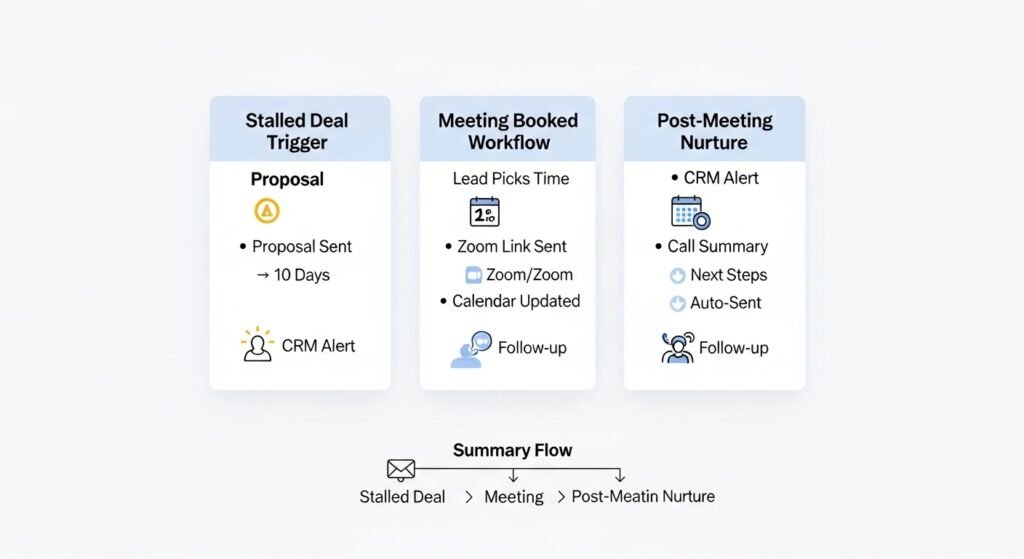
In B2B, deals take months. It is easy for a sales rep to lose track of a prospect. Automation acts as a safety net.
- The “Stalled Deal” Trigger: If a deal stays in the “Proposal Sent” stage for 10 days, the CRM alerts the rep.
- The “Meeting Booked” Workflow: Once a lead picks a time, the system sends the Zoom link and adds it to the calendar.
- The “Post-Meeting” Nurture: Send a summary of the call and a list of next steps automatically.
They suggest using “Internal Notifications” as much as external emails. They set up a system for a client where Slack notified the sales team every time a “VIP” lead logged into the app. The reps could reach out while the lead was still active. This felt like magic to the customer. It made the sales team look incredibly responsive.
How do e-commerce brands use CRM automation?
E-commerce brands use CRM automation to recover lost sales and increase the value of every customer. The most famous example is the abandoned cart email. It also includes post-purchase cross-sells and birthday discounts. These workflows target users who are already interested in your products. This leads to very high conversion rates.
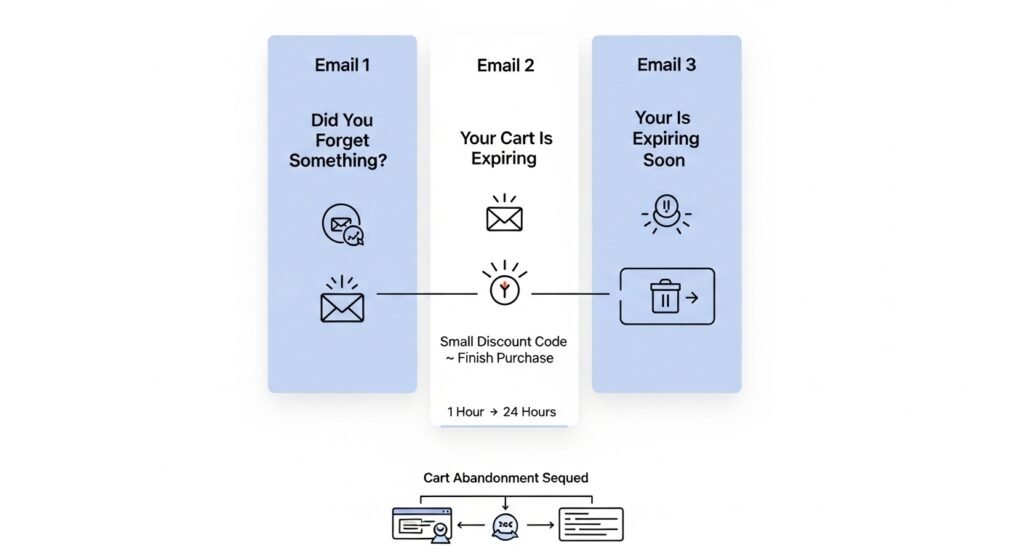
E-commerce is about timing. If someone leaves an item in their cart, you have a small window to win them back.
- Email 1 (1 Hour): “Did you forget something?”
- Email 2 (24 Hours): “Your cart is expiring soon.”
- Email 3 (48 Hours): A small discount code to finish the purchase.
Table: E-commerce Automation Triggers
| Action | Automation | Expected Result |
| Cart Abandoned | 3-Part Reminder | Recover 10-15% of sales. |
| First Purchase | Thank You + Coupon | Increase second purchase rate. |
| Specific Product View | Related Items Email | Boost cross-sell revenue. |
| No Purchase (90 Days) | Win-back Offer | Re-engage old customers. |
We once saw a brand send a “Refill Reminder” for a 30-day supply of vitamins. They sent it on day 25. It was a simple text email. Their repeat customer rate jumped by 40%. It solved a problem for the customer before they even realized they had it. This is the best kind of automation.
What role does SMS play in modern automation?
SMS plays a role in automation by providing an instant, high-open-rate channel for urgent messages. While email is good for long content, SMS is perfect for reminders and quick alerts. Most people see a text message within minutes. This makes it ideal for appointment confirmations or time-sensitive “Flash Sale” notifications.
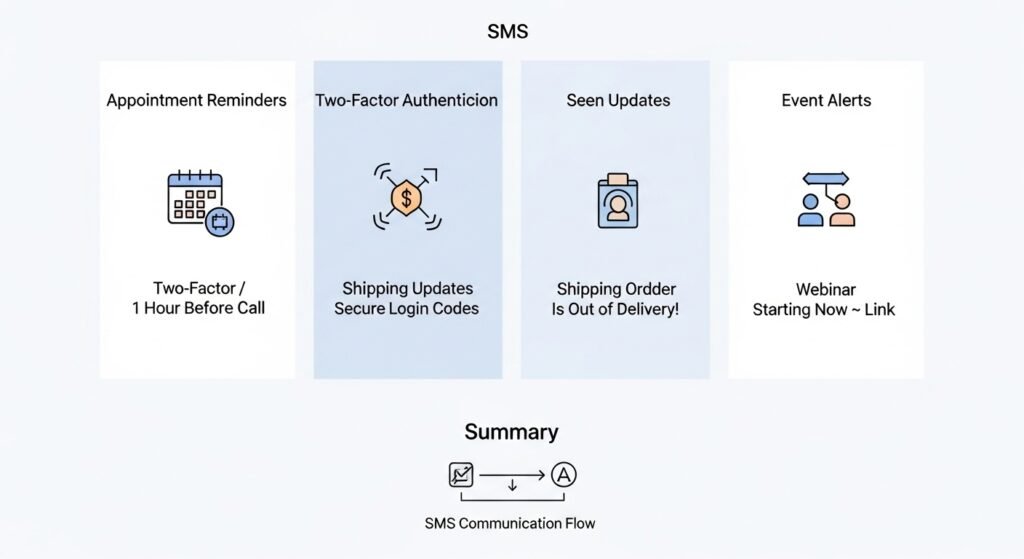
SMS is a personal space. You must use it sparingly.
- Appointment Reminders: Send 24 hours and 1 hour before a call.
- Two-Factor Authentication: Send codes for secure logins.
- Shipping Updates: “Your order is out for delivery!”
- Event Alerts: “The webinar is starting now. Here is your link.”
We worked with a service business that struggled with missed appointments. They were losing money every time a client forgot a slot. We added a single SMS reminder to their CRM. Their “no-show” rate dropped by 80%. The cost was a few cents per text. The return was thousands of dollars in saved time.
- Keep messages under 160 characters.
- Always include an opt-out link.
- Do not send marketing texts after 8:00 PM.
- Use a recognizable “From” name.
How can developers build custom automation triggers?
Developers build custom automation triggers by using webhooks to send event data from their app to a CRM API. When a user takes a specific action, the app POSTs a JSON payload to the CRM. This allows you to build highly specific workflows that standard “off-the-shelf” integrations cannot handle in a simple way.
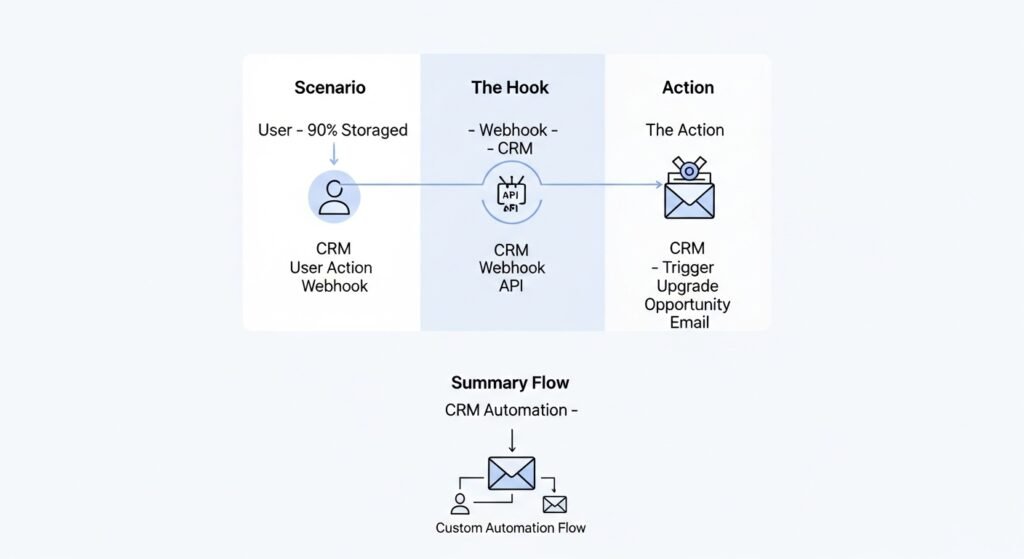
If you are a developer, you don’t want to be limited by a drag-and-drop builder. You want to trigger emails based on complex logic.
- Scenario: A user has used 90% of their storage limit.
- The Hook: Your app detects this and sends a webhook to the CRM.
- The Action: The CRM triggers an “Upgrade Opportunity” email.
Example Webhook Payload:
JSON
{
  "event": "storage_limit_near",
  "user_id": "12345",
  "email": "user@example.com",
  "current_usage": "92%",
  "plan_type": "starter"
}
The CRM receives this and looks for a matching workflow. This allows you to keep your marketing data perfectly in sync with your production database. They recommend using a tool like Segment or a custom API route in Next.js to manage these events. It keeps your code clean and your automation powerful.
How do you fix a failing automation workflow?
You fix a failing automation workflow by identifying where users are dropping off in your reports. Look at the open and click rates for every step. If one email has a high unsubscribe rate, the content is likely the problem. If nobody is opening the emails, check your subject lines or your technical deliverability.
We once audited a “Win-back” sequence for a client. They were sending ten emails over ten days. People were getting annoyed and marking them as spam. Their sender reputation was falling. We cut the sequence down to three high-value emails. We also added a “Reply to this” call to action. Their engagement went back up immediately.
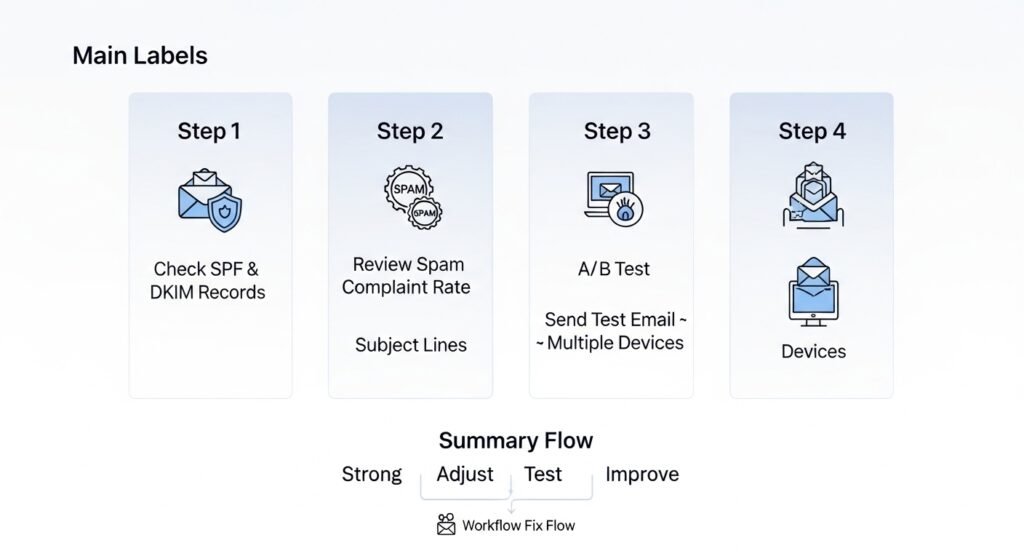
- Step 1: Check your SPF and DKIM records.
- Step 2: Review your “Spam Complaint” rate.
- Step 3: A/B test your subject lines.
- Step 4: Send a test email to your own inbox on different devices.
Sometimes the “Trigger” is the problem. I saw a system where a “Welcome” email was sending two days late because of a server lag. By the time the email arrived, the user had already forgotten the app. Always test your triggers in real-time.
How does AI change marketing automation examples?
AI changes marketing automation by moving from “If/Then” logic to predictive behavior analysis. Instead of you setting a fixed time, the AI decides when a specific user is most likely to open an email. It can also write personalized subject lines and summaries for every individual on your list at scale.
We are moving toward “One-to-One” marketing.
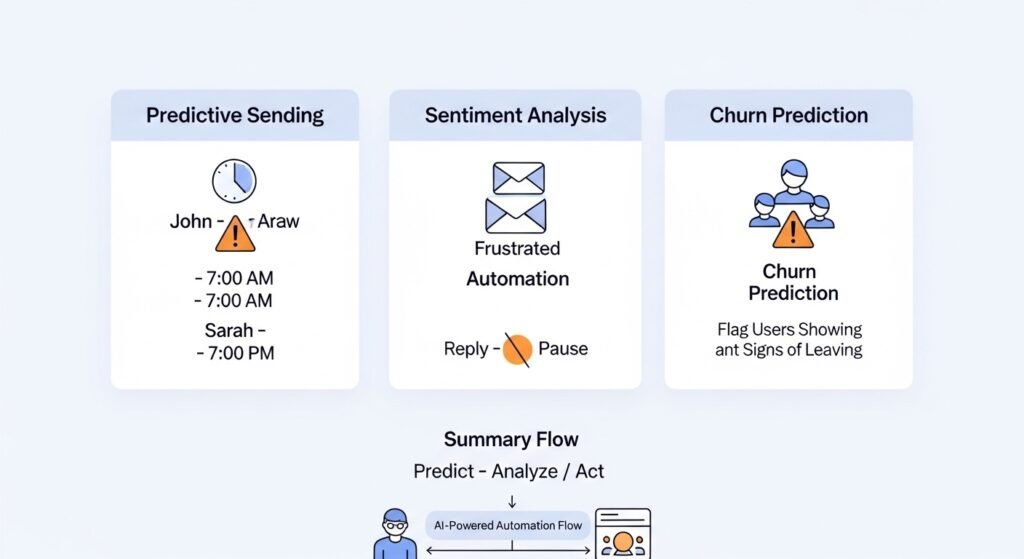
- Predictive Sending: The system knows John opens mail at 7:00 AM and Sarah opens mail at 7:00 PM. It adjusts for both.
- Sentiment Analysis: If a customer sends a frustrated reply, the AI pauses all marketing automation for them.
- Churn Prediction: AI flags users who are showing signs of leaving before they actually do.
They use AI to scan my own email replies. It tells me which questions are coming up most often. They then take those questions and add the answers to my automated “FAQ” email. This makes the automation smarter every week. It feels like a living system rather than a static script.
How do you measure the success of an automated campaign?
You measure success by looking at your “Goal Conversion Rate” and “Revenue per Subscriber.” While clicks are important, they do not always lead to profit. You need to know if the automated sequence actually caused a user to buy or upgrade. Use UTM parameters to track every link in your CRM.
Table: Metrics That Matter
| Vanity Metric | Actionable Metric | Why? |
| Total Opens | Click-to-Open Rate | Shows if the content was actually interesting. |
| List Size | Active Subscriber Growth | Shows if you are keeping people engaged. |
| Email Volume | Revenue per Email | Shows the direct business impact. |
| Unsubscribe Count | Unsubscribe Rate | Helps identify “Annoyance” points. |
They suggest setting a “North Star” metric for every workflow. For a welcome sequence, the metric is “Account Setup Completed.” For a sales drip, the metric is “Meeting Booked.” If a sequence isn’t hitting its goal, it doesn’t matter how high the open rate is. You need to change the strategy.
Final Thoughts on Marketing Automation Examples
Marketing automation examples prove that you can build a business that runs itself. By using these real-world patterns, you provide a better experience for your customers and save time for your team. You stop being a manual operator and start being a system architect.
Start with one small workflow. Maybe it is just a “Thank You” note or a simple lead nurture. Once you see the data, you will find more things to automate. Keep your copy human and your triggers smart. Over time, these small automations will add up to a massive competitive advantage.