
What Is CRM? Definition, Purpose, and How It Works

CRM, or Customer Relationship Management, is a technology and strategy businesses use to manage every interaction with customers in one place.
At its core, CRM is a system that helps businesses manage all interactions across sales, marketing, and customer support without confusion or lost information.
So what is the real CRM meaning?
It is more than just a tool. Customer relationship management software helps teams track conversations, organize customer data, and build stronger relationships over time.
With the right CRM software, businesses can see who their customers are, what they need, and when to follow up. Everything stays connected, clear, and easy to manage.
If you want to understand how CRM works and why customer relationship management software is essential for growing businesses, keep reading.
What Is CRM?
CRM stands for Customer Relationship Management. You use this software to gather lead and client info in one spot. It records calls, emails, and meetings. You get a full view of your sales journey. This helps you give better support and close deals much faster than before.
You might think of it as a smart address book. But it does much more for you. It tracks the life of a customer. You see when they first found you. You see what they bought last year. You see their complaints and their praise. You use this data to make smart choices. It removes the guesswork from your sales process. You know exactly who to call and when to call them.
The software stores many types of information for you:
- Contact names and job titles
- Email addresses and phone numbers
- Social media profiles
- History of past purchases
- Notes from phone conversations
- Current stage in your sales funnel
How Do You Use CRM to Organize Your Daily Tasks?
You start your day by looking at your dashboard. You see which leads need a call. You see which deals are close to finishing. You do not waste time wondering what to do next. Your team sees the same info. This stops people from doing the same work twice. You save hours every week. You can focus on talking to people instead of fixing files.
Why Is Your Customer Data More Secure in a CRM?
You keep your data in a protected cloud. You do not lose it if your laptop breaks. You control who sees the private details of your clients. You can set rules for your staff. This keeps your business safe and professional. You can access your files from your phone or your home computer. You always have the latest facts at your fingertips.
Why Do You Need a CRM for Your Business?
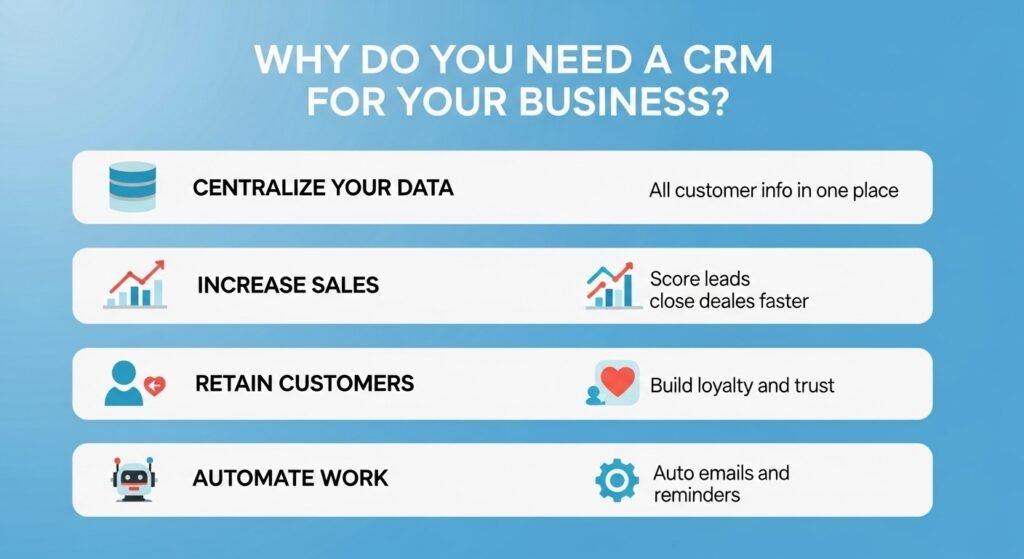
You need a CRM to stop losing valuable leads and to grow your revenue. It centralizes your customer data so you can spot trends and close deals faster. By tracking every interaction, you build trust and ensure no follow-up task ever falls through the cracks again.
You often feel overwhelmed by the sheer amount of data you handle. You might have contact info in your phone and notes on your desk. This scattered approach hurts your bottom line. You lose time searching for basic facts. A CRM solves this by putting everything in one clear view. You see exactly where your money comes from. You see which products your customers love the most. You can then spend your time on the tasks that actually pay off.
How Can You Increase Your Sales with CRM?
You use these tools to find your best leads. You stop wasting hours on people who will never buy from you. The system scores your leads based on their actions. You know who is ready to sign a contract today. This focus helps you hit your sales targets every single month. You can also see where people drop out of your sales funnel. You fix those gaps and keep more people moving toward a purchase.
How Does CRM Help You Retain Your Current Customers?
You keep your customers happy by remembering the small details. You know their last order without asking them. You know when their birthday is or when they last had a problem. This personal touch makes them feel valued. You turn a one-time buyer into a loyal fan. Loyal fans buy more often and refer their friends to you. You save money because keeping a client costs less than finding a new one.
Can You Automate Your Busy Work with These Systems?
You can set up rules to handle your most boring tasks. You send welcome emails automatically when someone signs up. You get a task set for you when a deal stays idle for too long. This automation keeps your process moving while you sleep. You do not have to remember every tiny step in your workflow. The software does the heavy lifting for you. This gives you more hours in your day to think about your big goals.
How Does a CRM Actually Work?
A CRM works by collecting data from your emails, website, and phone calls into one database. It organizes this info into profiles for every person who contacts you. The system then alerts you when it is time to reach out, ensuring you maintain a constant connection with your leads.
You can think of the system as a brain for your business. It never forgets a face or a name. When a lead fills out a form on your site, the CRM creates a file. It notes which page they visited. It tells you what they are looking for. When you call them, you already know their needs. You do not have to ask the same boring questions. You jump straight to the solution.
How Does Data Flow Into the System?
You connect your email provider to the software. Every message you send or get is logged. You connect your website forms. New leads appear instantly in your list. You can even link your social media accounts. You see what your clients say about you online. This flow of data happens without you lifting a finger. You just watch your list of prospects grow.
What Happens When You Move a Deal Forward?
You drag a lead from “New” to “Contacted” in your pipeline. The system updates the status for everyone to see. You might attach a quote or a contract to the file. Your manager sees the progress. Your team sees the win. This clear path helps you stay motivated. You see your hard work turning into real dollars on your screen.
What Are the Main Types of CRM Software?
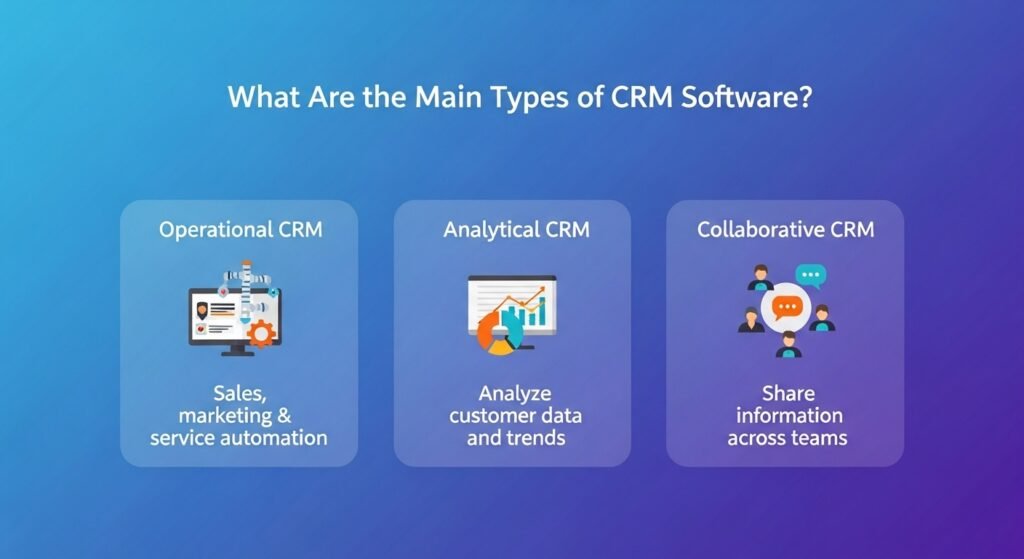
The three main types of CRM software are operational, analytical, and collaborative. Operational tools focus on sales and marketing automation. Analytical tools help you study customer data to find patterns. Collaborative tools ensure your different departments, like sales and support, share the same information.
Why Choose an Operational CRM?
You pick this type if you want to speed up your daily work. It helps you manage your sales pipeline. It handles your marketing campaigns. It takes care of your service tickets. You get the most value here if you have a large sales team. You want them to spend every minute selling. You want the software to handle the paperwork.
When Should You Use an Analytical CRM?
You use this if you have a mountain of data but no clear plan. It looks at how your customers behave. It tells you which people are likely to leave. It tells you which products sell best in the winter. You use these facts to plan your next big move. You stop guessing and start knowing. This leads to much better results for your marketing budget.
How Does a Collaborative CRM Help Your Team?
You need this if your customers talk to many people in your company. It stops the “I didn’t know that” excuse. Your support rep sees that the sales rep promised a discount. Your marketing person sees that a client is unhappy and stops sending them sales emails. You act as one single unit. This builds massive trust with your audience.
What Key Features Should You Look For?
You should look for contact management, lead tracking, and reporting tools in your CRM. These features allow you to store details, follow sales progress, and see your growth. You also need mobile access and email integration to stay connected to your clients while you are on the move.
Why Is Contact Management the Most Important?
You need a clean list of names and numbers. A good system lets you tag people. You can find “Old Customers” or “Hot Leads” in seconds. You can add custom fields. Maybe you want to track their favorite color or their dog’s name. These details help you build a real human bond. You are not just a seller. You are a partner who cares.
How Do Reporting Tools Change Your Strategy?
You run a report to see your conversion rate. You find out that you close 20% of leads from LinkedIn but only 5% from Facebook. You decide to put more money into LinkedIn. This choice is based on hard facts. You see your team’s performance. You see who is working hard and who needs help. You use these reports to stay on the path to success.
| Feature | What It Does for You | Why You Need It |
| Lead Scoring | Ranks leads by interest | You focus on ready buyers |
| Pipeline View | Shows sales stages | You see where deals get stuck |
| Email Sync | Logs every message | You never lose a thread |
| Mobile App | Gives access on the go | You work from anywhere |
How Do You Start Using a CRM for Your Business?
You start by cleaning your current data and picking a simple system. You should train your team on why the tool matters before you give them logins. Begin by tracking one simple sales process and slowly add more features as you feel comfortable with the new software.
How Do You Clean Your Data Before You Upload It?
You do not want to put trash into your new system. You delete old leads who never replied. You fix spelling errors in names. You remove duplicate entries. This prep work takes time but it is worth it. You start with a fresh, accurate list. This makes your team trust the new tool from day one.
Why Is Team Training So Vital?
You might buy the best software in the world, but it fails if no one uses it. You must show your team how it makes their life easier. Show them how they save time. Show them how they can earn more commission. You listen to their fears and help them learn. You make it a part of your daily culture. If a task is not in the CRM, it does not exist.
What Are the Common Challenges of CRM?
Common challenges include poor data quality, low team adoption, and picking a system that is too complex. You can solve these by setting clear rules for data entry and choosing a user-friendly tool. Regular training helps your team stay consistent and see the value in the system.
You might face pushback at first. Change is hard for many people. You need to lead by example. Use the system yourself. Praise those who use it well. Keep the data clean. Over time, the results will speak for themselves. You will see more sales and fewer headaches.
How Do You Keep Your Data Clean Over Time?
You set rules for how to enter info. You tell your team which fields are required. You check the data once a month for errors. This keeps your system useful. If the data is messy, your reports will be wrong. You cannot make good choices with bad facts. Stay disciplined and your CRM will reward you.
Your Next Steps for Success
You now know how these systems can change your business. You understand how to track leads and close more deals. You see the value of keeping all your data in one safe spot. Your growth depends on your ability to scale your relationships. This software is the tool that makes that possible.
You should start by looking at your current process. Find where you lose time. Find where you lose leads. Then, look for a system that fills those gaps. You do not need the most expensive option. You need the one that your team will actually use every day. Take the first step now. Your future self will thank you for the organization and the extra profit.