
What Is a Checksum Error? Causes, Types, and How to Fix It

A checksum error means the verification number for a piece of data does not match what was expected. This tells your system that the data may have been changed, damaged, or lost during storage or transfer. Most checksum errors are caused by simple problems like a dead battery, a bad download, or a network hiccup. The good news is that most of them are fixable.
You are sitting at your computer and a message pops up out of nowhere: “checksum error.” Maybe it happens at startup. Maybe it shows up while extracting a file. Maybe a software installer just failed on you.
It looks scary. But it usually is not as serious as it sounds.
In this guide, you will learn exactly what a checksum error is, why it happens, where it shows up, and how to fix it step by step. Whether you are a regular PC user, a developer, or just someone trying to figure out what went wrong, this guide covers everything you need to know.
What Is a Checksum Error?
A checksum is a small number that your system creates from a larger set of data. Think of it like a receipt total at a store. When you check out, the cashier adds up all your items and gives you a total. If you count your items at home and the numbers do not match, something went wrong somewhere.
Your computer does the same thing with data. It calculates a number from the original data, stores or sends that number alongside the data, then recalculates the number later to make sure everything still matches.
A checksum error happens when those two numbers do not match. It means the data changed somewhere between the starting point and the end point. That change could be accidental or, in some cases, intentional.
This process is one of the most reliable forms of error detection in computing. It is used to protect data integrity everywhere from BIOS chips to file downloads.
How Does a Checksum Work?
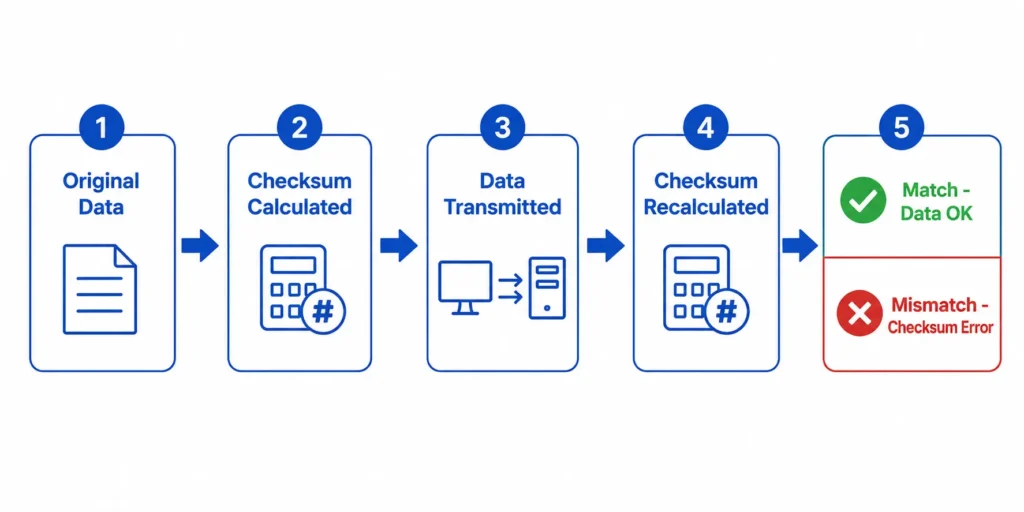
Here is the basic process in plain steps:
- The system takes the original data and runs it through a formula.
- The formula produces a short fixed number called a hash value or checksum.
- That number is stored or sent along with the data.
- When the data arrives at its destination (or is read later), the system runs the same formula again.
- If the new number matches the stored number, the data is good.
- If the numbers do not match, the system throws a checksum error.
Modern systems use stronger formulas like SHA-256 or MD5 to generate these values. Older or simpler systems may use basic sum methods or CRC (Cyclic Redundancy Check) calculations. The more complex the formula, the harder it is to fake or miss a problem.
What Causes a Checksum Error?
A checksum error is almost always caused by data being changed after the original value was created. Here are the most common causes:
- Dead or weak CMOS battery: This is the most common cause of checksum errors at startup. The CMOS battery keeps your BIOS settings stored even when your computer is off. When the battery dies, those settings are lost or scrambled.
- Corrupted file or disk: If the storage device has bad sectors or a file becomes damaged, the data read back will not match the original.
- Interrupted internet or network connection: A lost connection during a download or data transfer can cause packets to arrive incomplete or in the wrong state.
- Failed or interrupted firmware update: If a BIOS update gets cut off midway, the stored configuration data can become inconsistent.
- Third-party interference during data transfer: Malware, poorly written software, or even antivirus tools can alter data in transit.
- Overclocking settings: Pushing your CPU voltage or memory timing too far can destabilize memory reads, leading to checksum mismatches in stored configuration data.
- Stale cache or mismatched package versions: In software development pipelines, outdated cached files can produce hash mismatches even when no actual corruption has occurred.
The exact cause depends on where the error shows up. That brings us to the next section.
Where Do Checksum Errors Appear?
Checksum errors do not just happen in one place. They can show up in five very different situations. Knowing which one you are dealing with makes fixing it much easier.
BIOS and CMOS Checksum Errors
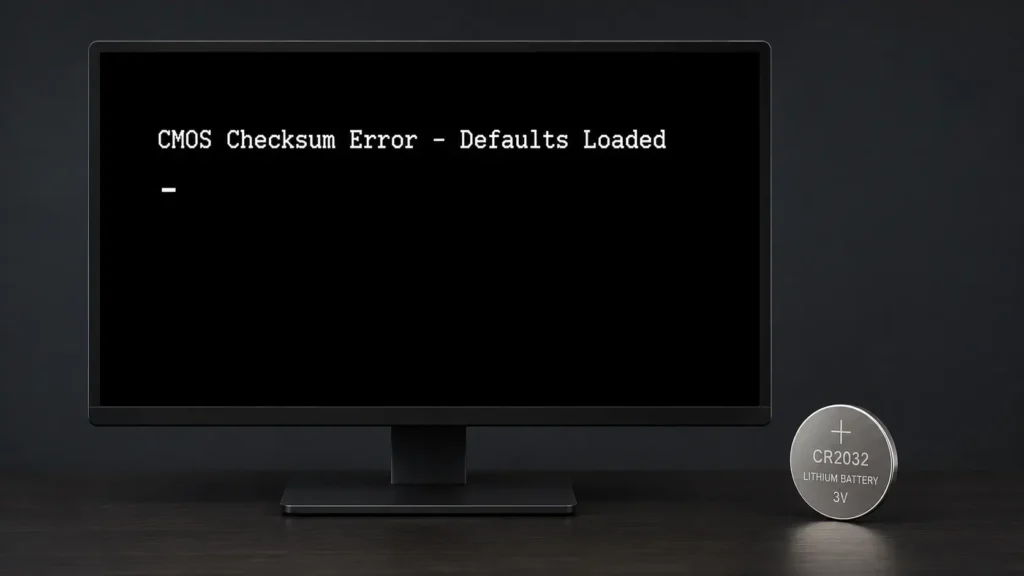
This is the most well-known type. You turn on your computer and instead of booting normally, you see a message like:
“CMOS checksum error – defaults loaded”
or
**”Bad checksum error – press DEL to enter setup”**
This happens because your BIOS stores system settings in a small chip called CMOS. When the checksum of those settings does not match what the BIOS expects, it flags an error.
The most common reason is a dead CMOS battery. These small coin-sized batteries (usually a CR2032) power your BIOS settings when your PC is off. They typically last 5 to 10 years.
Other causes include a power surge, aggressive overclocking, or a BIOS flash (firmware update) that did not complete properly.
File Download Checksum Errors
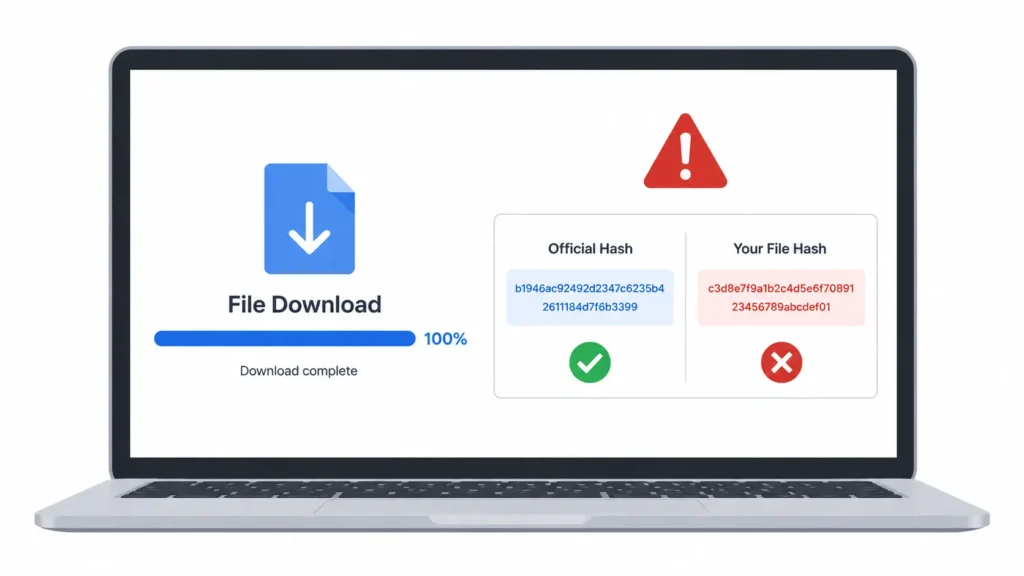
When you download software, an operating system, or a security patch, the provider usually publishes an official hash value alongside the file. After downloading, you can run a checksum tool to compare your file’s hash value against the official one.
If they do not match, it means one of two things:
- The file was corrupted during download (partial transfer, connection drop).
- The file was tampered with after leaving the official source.
This type of checksum verification is especially important for Linux distributions, BIOS updates, and security-sensitive software.
Network Transmission Checksum Errors
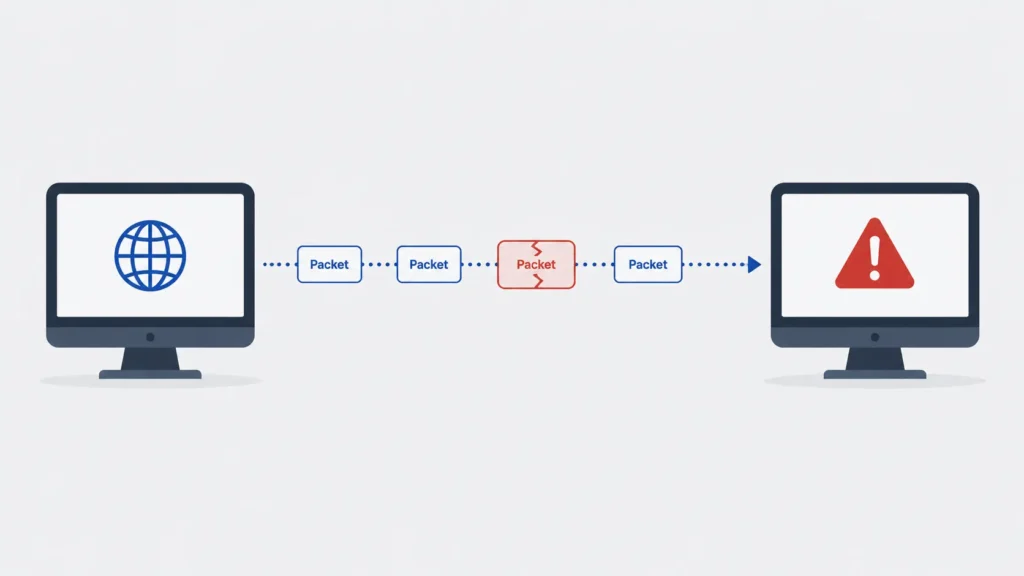
Every time data moves across a network, it travels in small units called packets. Each packet carries its own checksum value. When the packet arrives at the other end, the receiving system checks that value.
If a packet is altered during transit (due to network interference, hardware faults, or congestion), the checksum will not match and the packet is flagged or discarded. This is built into the TCP/IP protocol used by the internet.
Most of the time, the system quietly resends the packet. But in unreliable networks or during high-traffic conditions, these errors can stack up and cause visible problems.
Archive File Checksum Errors (ZIP and RAR)
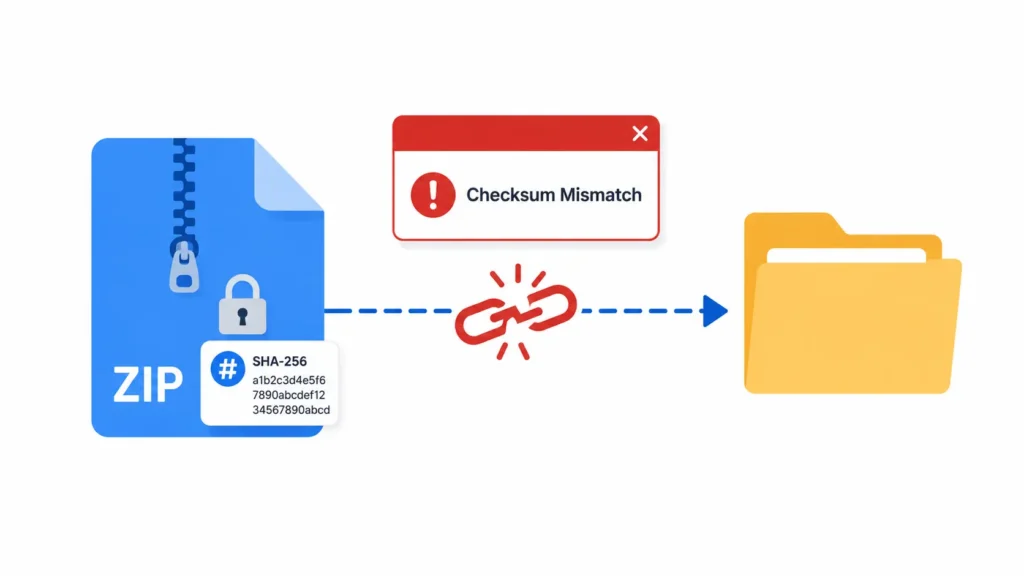
If you have ever tried to extract a ZIP or RAR file and seen an error message about a checksum mismatch, this is what happened. The archive file was corrupted either during download, during storage, or during the copy process.
Tools like WinRAR and 7-Zip calculate a checksum when an archive is created. When you extract the file, they recalculate and compare. A mismatch means the archive is not intact.
The most common fix is to simply download the archive again from the original source.
CI/CD Pipeline Checksum Errors
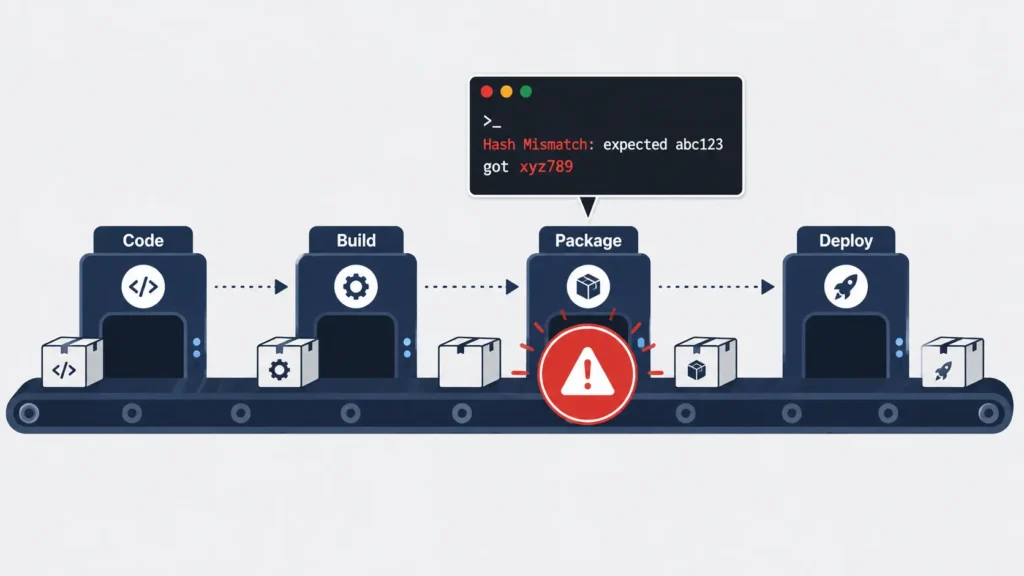
If you work in software development, you may have seen checksum errors in tools like pip, conda, or npm. These package managers verify the hash of every file they download to make sure it has not been tampered with.
Common causes in this context include:
- A stale or corrupted local cache
- A mismatched version hash between the package index and the actual file
- A network interruption during package download
- A potentially tampered dependency (a real supply chain security concern in 2025 and 2026)
Clearing the package cache and reinstalling from a fresh source usually solves this quickly.
How to Fix a Checksum Error
Now that you know which type you have, here is how to fix it.
How to Fix a BIOS or CMOS Checksum Error
- Restart your computer first. Sometimes the error is a one-time glitch.
- Enter BIOS setup (usually by pressing DEL, F2, or F10 at startup) and choose “Load Default Settings” or “Load Optimized Defaults.”
- Save and exit. See if the error comes back.
- Replace the CMOS battery. If the error keeps returning, the battery is the likely cause. A CR2032 battery costs about one dollar and takes under five minutes to swap on most desktops.
- Undo overclocking. If you have changed CPU or memory voltage settings, reset them to stock values.
- Reflash the BIOS. If a failed firmware update caused the error, download the correct BIOS file from your motherboard manufacturer’s official website (ASUS, Acer, MSI, etc.) and follow their flashing instructions carefully.
How to Fix a File Download Checksum Error
- Delete the downloaded file completely.
- Redownload the file from the official source only. Do not use mirror sites unless they are listed as official.
- Verify the hash. On Windows, open Command Prompt and run:
CertUtil -hashfile [filename] SHA256. On macOS or Linux, runsha256sum [filename]. Compare the output to the official hash value. - Check your internet connection. If downloads are frequently corrupted, your connection may be dropping packets.
How to Fix an Archive File Checksum Error
- Delete the corrupted archive.
- Download the archive again from the original source.
- Check the download in a stable connection environment. Avoid downloading large archives over Wi-Fi if wired is available.
- Try a different extraction tool if the problem persists (switch between WinRAR and 7-Zip, for example).
How to Fix a CI/CD Pipeline Checksum Error
- Clear the package cache. For pip:
pip cache purge. For conda:conda clean --all. For npm:npm cache clean --force. - Delete your lock files (package-lock.json, Pipfile.lock, etc.) and reinstall from scratch.
- Check for known issues on the package’s GitHub repository. Sometimes the index itself has a broken hash for a specific version.
- Pin to a verified version of the package and document the hash in your CI configuration.
Is a Checksum Error Serious?
In most cases, no. A checksum error is a warning sign, not a disaster. It is your system’s way of saying “something does not add up” so you can investigate before the problem gets worse.
A single BIOS checksum error after a power outage is almost never a hardware failure. A single download error is usually just a bad connection. These things are common and fixable.
However, there are situations where you should take it more seriously:
- The error returns immediately after you fix it. This may point to a failing hard drive, a damaged storage chip, or a BIOS that cannot hold settings (battery replacement needed).
- You see checksum errors across multiple files or systems. This could indicate a deeper hardware or network problem.
- The error appears after downloading security software or firmware. In this case, it is worth verifying the source before proceeding. A tampered file is a real security risk.
When in doubt, do not ignore a repeating error. But do not replace hardware before trying the software fixes above.
How to Prevent Checksum Errors
A few simple habits can help you avoid these errors altogether:
- Replace your CMOS battery proactively if your desktop is more than 5 years old.
- Always download files from official sources. Avoid third-party mirror sites you do not recognize.
- Always verify hash values when downloading operating systems, firmware, or software installers. The hash is usually listed right next to the download button.
- Use a UPS (Uninterruptible Power Supply) to protect your system from power surges and sudden shutoffs that can corrupt BIOS settings.
- Keep firmware up to date safely. Only update your BIOS when there is a specific reason to do so, and never interrupt the process.
- In CI/CD pipelines, pin dependency versions and use hash verification as part of your standard workflow. This protects against supply chain attacks.
In data-sensitive environments, including tools that store customer and business records, protecting data integrity is not optional. A corrupted record in a CRM system can cause real-world problems like lost orders, duplicate contacts, or billing errors.
Final Thoughts
A checksum error sounds technical, but the idea behind it is simple. Your system ran a verification check, the numbers did not add up, and it told you. That is a good thing.
Most checksum errors trace back to one of a small number of causes: a dead CMOS battery, a corrupted file, a dropped network connection, or a stale software cache. In almost every case, the fix is straightforward and takes only a few minutes.
The key is not to panic and not to ignore it. Follow the steps that match your type of error, verify your data sources, and keep a few good habits in place going forward.
If you want to understand more about the technologies that keep your data and connections running smoothly, this piece on tech ideas that made the web move quicker covers some of the foundational innovations behind faster and more reliable digital systems.